The Reality of AI in 2026: From Experiment to Core Business Infrastructure
Three years ago, most people treated AI tools like a novelty. Today, they’re part of how real work gets done. Skipping AI already feels like a competitive liability. The shift happened faster than most business owners expected — and it's still accelerating.
According to McKinsey's 2025 Global AI Report, 64% of businesses now use AI tools in at least one core function. More telling: companies that moved from AI experimentation to AI systems reported 88% higher revenue growth than peers still treating it as optional. The global AI market hit $91 billion in 2025 and is projected to cross $400 billion by 2028, per IDC forecasts.
The language has changed too. It's no longer "AI tools" — it's AI infrastructure. The question isn't whether to use AI. It's which tools justify the spend.
- Business adoption: 64% of businesses now use AI in at least one core function, per McKinsey's 2025 Global AI Report.
- Revenue impact: Companies with systematic AI deployment report 88% higher revenue growth than non-adopters.
- Market size: Global AI market reached $91B in 2025, projected to hit $400B by 2028, per IDC.
- Productivity lift: Teams using integrated AI workflows report 30–50% faster task completion on repeatable processes.
For e-commerce businesses facing similar "free vs paid" stack decisions, see our breakdown of AI Tools for E-commerce Store Owners (2026) — the ROI math runs parallel.
The interesting part? Most businesses aren’t struggling with AI itself — they’re struggling with how to use it efficiently.
Free AI Tools: Where They Deliver Real Value
Why Free AI Tools Still Matter in 2026
The free tier isn't a compromise. For the right workload, it's the right answer.
Free AI tools gave millions of freelancers, early founders, and solo operators a real entry point into AI-assisted work — no credit card, no commitment, no learning curve tax. That accessibility still matters. Not every business needs automation pipelines. Some need a faster way to draft an email or summarize a research document.
Zero cost also means zero-friction experimentation. You can test ten tools in a month and walk away from nine without losing anything but time.
Practical Use Cases That Actually Work
Free tiers perform well in focused, low-volume scenarios:
- Freelance writers and consultants using ChatGPT (free) or Claude.ai for research summaries, first drafts, and client communication templates.
- Early-stage startups validating messaging with Canva Free for pitch decks, Notion for documentation, and Grammarly for content polish.
- Solo marketers using Google Bard or Perplexity for competitive research and trend scanning before investing in premium tools.
The work gets done. Deadlines get met. Costs stay at zero.
Hidden Constraints You'll Eventually Hit
Free tools have a ceiling — and you hit it right when business starts to pick up.
Rate limits kick in during busy periods. ChatGPT (free) throttles during peak hours, which is exactly when most business users need it. Free tiers don't connect to your CRM, your project management tool, or your email platform. Every output becomes a manual copy-paste job. You're not automating anything — you're just working with a faster text assistant.
For individual tasks, that's fine. For repeatable business operations at scale, it creates a quiet productivity tax that's easy to ignore until it isn't.
This is where a lot of people stay longer than they should — because free tools feel “good enough.”
Paid AI Tools: Built for Scale, Speed, and Systems
What You Actually Unlock When You Pay
The difference isn’t just better output — it’s a completely different level of usefulness.
Paid tiers give you automation triggers, API access, and integrations that connect AI to the tools your business already runs on. You're not just generating content — you're cutting out entire chunks of manual work. A paid Zapier plan connects your AI outputs directly to your CRM, inbox, spreadsheet, and Slack without touching anything manually.
You also get priority access, higher usage limits, and in most platforms, access to the most capable models — GPT-4o, Claude Sonnet, Gemini Advanced.
Real Business Use Cases
- SMB operations teams using Notion AI + Zapier to auto-generate meeting summaries, route action items to assignees, and update project trackers — cutting weekly admin from 8 hours to under 2.
- Marketing teams using Jasper or Copy.ai on paid plans to run multi-channel content calendars at 3x previous output, without adding headcount.
- SaaS product teams integrating Claude API or OpenAI API into internal tools for automated documentation, support draft generation, and user feedback analysis.
The Trade-Offs No One Talks About
Paid doesn't automatically mean better ROI. A few real friction points:
Cost creep. Stacking multiple paid tools — $20 here, $49 there — compounds fast. Teams that don't audit their AI spend quarterly often find $400–600/month going to tools with 20% utilization.
Learning curve. Advanced platforms like HubSpot AI, Salesforce Einstein, or Zapier's automation builder have real setup time. Paying for a tool you haven't configured delivers zero ROI.
Vendor lock-in. Building workflows deeply into one platform creates switching friction. That's manageable — but worth knowing before you go all-in.
According to Gartner’s AI research, businesses that integrate AI into structured workflows see significantly higher efficiency gains than those using it casually.
The Real Difference: Experimentation vs Operational Efficiency
This is where most "free vs paid" comparisons miss the point. It's not about features. It's about what you're trying to accomplish.
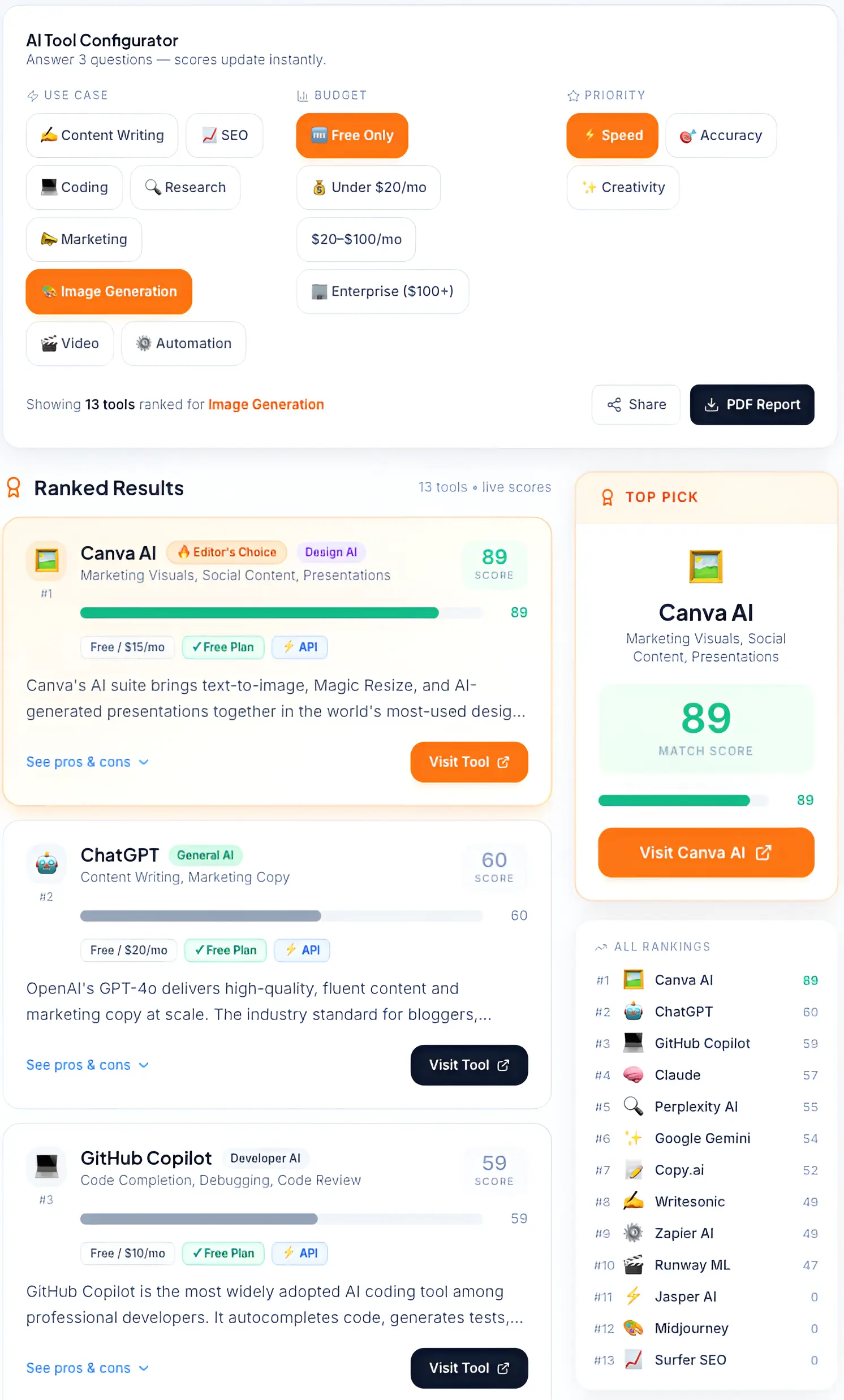
Choosing the right stack: Use our AI tool selector to identify the most effective automation software for your specific business goals
Output Quality vs Workflow Efficiency
Free tools can match paid tools on raw output quality for many tasks. A well-prompted ChatGPT free query can produce content on par with ChatGPT Plus for a single piece. The gap appears when you need consistent, connected output across dozens of tasks — that's where paid workflow integration pulls ahead.
Manual Effort vs Automation Power
Free AI tools are assistants. Paid AI tools, properly configured, are systems. An assistant helps you do a task faster. A system does tasks while you're doing something else entirely.
Individual Usage vs Team-Level Systems
Free tiers are designed for one user, one session, one task. Paid tiers — especially team plans — enable shared prompts, collaborative workspaces, and role-based access. For any team with more than two people touching AI workflows, the coordination value of a paid plan often justifies the cost before the AI features even factor in.
Short-Term Savings vs Long-Term ROI
Free tools save money today. Paid tools that eliminate a repeatable bottleneck can save significantly more over a 12-month horizon. The math only works if you've identified the bottleneck first.
And this is usually the turning point — where AI stops being helpful and starts becoming essential.
If you're unsure how to structure your AI stack properly, read our Complete Guide to Choosing AI Software for Your Business (2026 Edition).
ROI Breakdown: When Free Tools Are Enough — And When They're Not
This is where most people start asking the real question — is it actually worth paying for?
When Free AI Tools Deliver Positive ROI
- You're handling low-volume, non-repeatable tasks (under 10/week)
- Your workflows don't require integrations with other platforms
- You're in the testing phase — validating whether AI solves your problem before spending
- You're a solo operator with predictable, simple use cases
When Paid AI Tools Become a No-Brainer
- You're spending 3+ hours per week on tasks that AI could handle end-to-end
- Your team has repeatable processes that currently require manual handoffs
- You're leaving work incomplete because free limits hit before the week does
- You've outgrown copy-paste workflows and need actual automation
The Hidden Cost Most People Ignore
Context switching is the most expensive thing on your workflow that doesn't show up on an invoice. Every time you copy output from an AI tool and paste it into another platform, add a manual step to route it, or reformulate a prompt because your free tier reset — you're spending time with real dollar value.
For a business owner billing $100/hour, 30 minutes of daily context switching from fragmented free tools equals $750/month in lost billable time. A $50/month paid plan that eliminates that entirely pays back 15x.
The hidden cost of free AI tools isn't the tool itself — it's the manual work that lives between the tool and your actual business system. That gap is where ROI disappears quietly.
→ Want to quantify whether upgrading actually makes financial sense? Use our AI ROI Calculator to compare time saved vs tool cost instantly.
Real Examples: How Popular AI Tools Change When You Upgrade
ChatGPT (Free vs Plus/Team)
Free gives you GPT-4o with usage limits and no memory. Plus ($20/month) removes limits, adds file uploads, image generation, and persistent memory. Team ($25/user/month) adds shared workspaces and higher API priority. The workflow shift: from "faster writing" to "connected content operations."
For most users, this is the first upgrade that actually feels worth paying for. Once you start relying on it daily, the free version starts feeling restrictive very quickly.
Canva (Free vs Pro)
Free Canva handles basic design. Pro ($15/month) adds Brand Kit, background remover, content scheduler, and 100M+ assets. For any business producing consistent visual content across social, ads, and decks, the Brand Kit alone eliminates 2–3 hours of reformatting per week.
Zapier (Free vs Paid)
Free Zapier allows 5 Zaps with single-step automations. Starter ($20/month) enables multi-step Zaps and premium app connections. This is the difference between automating one simple task and building a connected workflow that spans your entire toolset.
This is where automation starts replacing real manual work.
Notion AI
Notion AI is an add-on ($10/user/month) to an existing Notion workspace. The paid version enables AI summaries, auto-fill, action item extraction from meeting notes, and Q&A across your entire workspace. For teams already living in Notion, the ROI is immediate.
Jasper / Copy.ai
Both offer limited free tiers. Jasper ($49/month+) and Copy.ai ($49/month+) unlock brand voice training, campaign workflows, and team collaboration. For marketing teams running content at volume, the output consistency and speed justify the spend — but only at meaningful content scale (20+ pieces/month).
Real ROI in Action: What Businesses Are Actually Achieving
AI ROI is no longer theoretical — it’s already measurable across real businesses. SMB teams using integrated paid AI tools are saving 10–15 hours per week on repeatable tasks, according to Salesforce’s State of AI 2025 report. That alone translates to a full workday recovered every week.
Cost savings are just as clear. In one case, a three-person marketing team using tools like Jasper and Zapier was able to replace a contract role, resulting in around $1,200 per month in net savings even after covering tool costs.
As AI workflows mature, the impact goes beyond time and cost. Businesses are now able to automate 30–50% of previously manual processes within 90 days, significantly improving operational efficiency. On the revenue side, companies using AI for lead follow-up and personalized content are seeing 15–25% higher conversion rates, based on HubSpot’s AI Benchmark Report.
ROI by Business Type: Which Stack Makes Sense
| Business Type | Recommended Stack | Est. Monthly Cost | Est. ROI |
|---|---|---|---|
| Freelancer / Solo | ChatGPT Free + Canva Free | $0 | Time savings, no cash ROI |
| Freelancer scaling up | ChatGPT Plus + Grammarly Pro | $40/month | $300–500 in recovered time |
| Early-stage startup | ChatGPT Plus + Notion AI | $30/month | $400–700/month in efficiency |
| SMB (5–20 people) | Jasper + Zapier + Notion AI | $120–200/month | $1,000–1,500/month saved |
| Scaling team (20+) | Full stack + API integrations | $300–600/month | $3,000–5,000/month in output lift |
How to Decide: Free vs Paid AI Tools (Simple Framework)
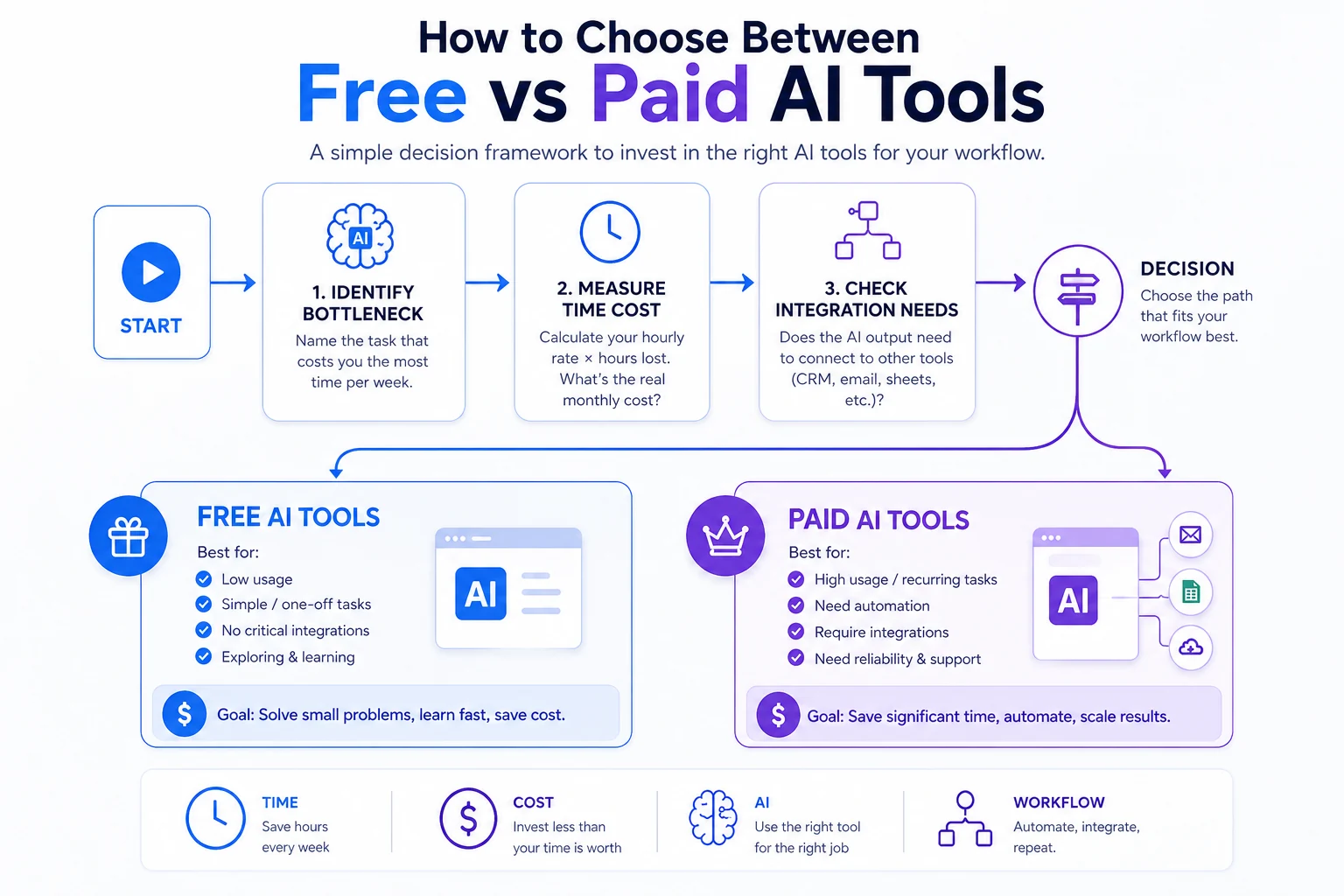
A simple flowchart to decide when to use free AI tools vs paid AI tools based on usage, automation, and workflow integration needs.
Step 1: Identify Your Bottleneck
Before spending anything, name the task that costs you the most time per week. Is it content creation? Lead follow-up? Data entry? Report generation? Your first AI investment should target that specific bottleneck — not the most impressive tool you've seen demoed.
→ Not sure which combination fits your workflow? Try our AI Tool Selector to get the best AI stack for your needs in seconds.
Step 2: Measure Time vs Cost
Calculate your effective hourly rate and multiply it by the hours that bottleneck costs weekly. If the task costs you $400/month in time and a $49/month tool eliminates it — the math is done.
Step 3: Check Integration Needs
If your workflow requires the AI output to connect to another tool (CRM, email, spreadsheet), free tiers almost certainly won't cut it. Integration is a paid-tier feature across most platforms.
Step 4: Start Small, Then Scale
One paid tool, fully configured and measured, beats four partially used ones. Start with the single tool that addresses your biggest documented bottleneck. Add layers only after the first is producing consistent, measurable output.
More tools don’t mean better results — better workflows do.
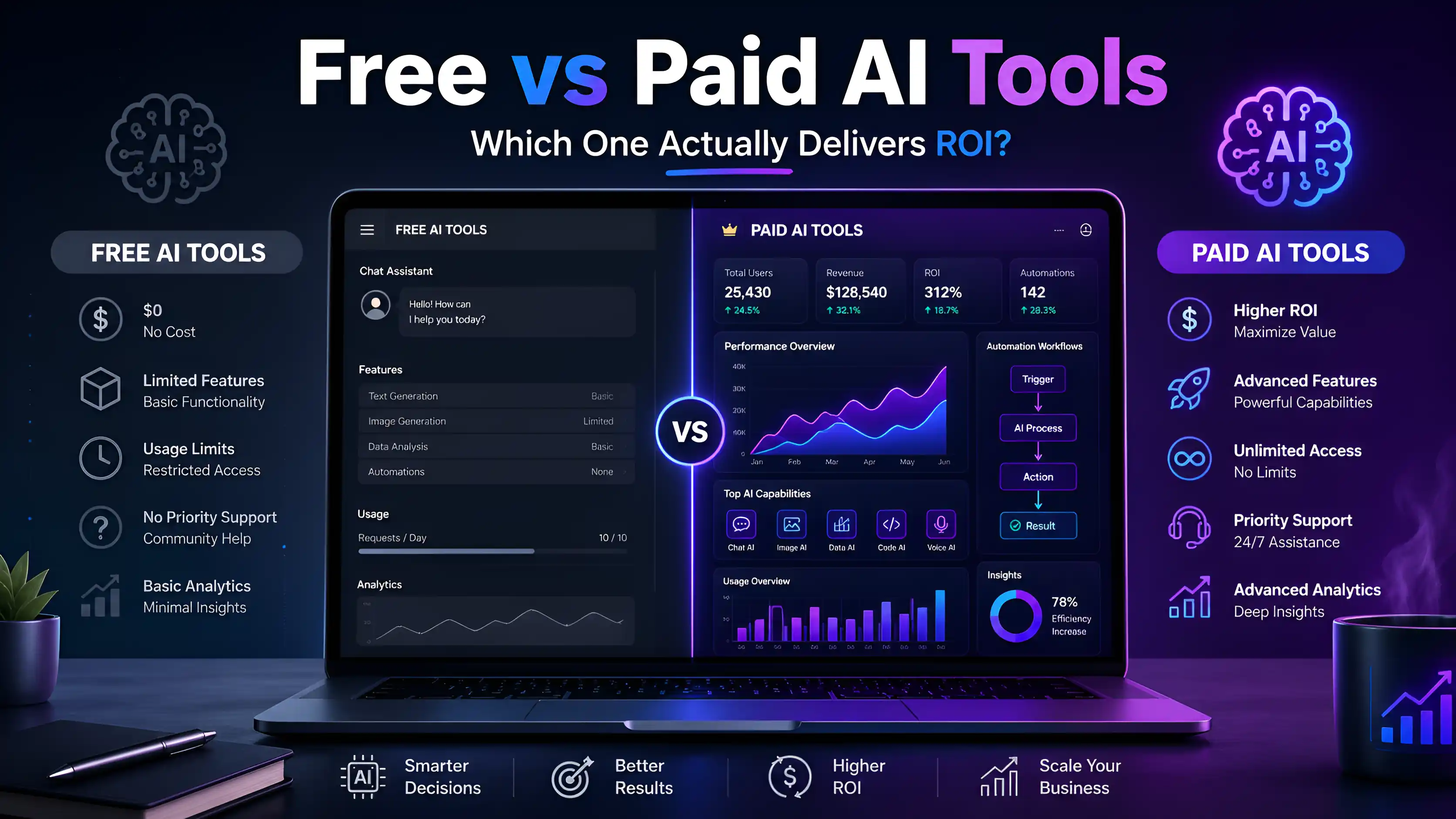
Free vs Paid AI Tools: Feature Snapshot
| Feature | Free Tier | Paid Tier |
|---|---|---|
| Usage limits | Capped (daily/monthly) | High or unlimited |
| Integration with other tools | None or limited | Full API + native integrations |
| Automation capabilities | Manual only | Trigger-based automation |
| Output model quality | Standard | Latest/premium models |
| Team collaboration | Single user | Shared workspaces, roles |
| Priority access | No | Yes |
| Brand/memory features | None | Available |
| Support | Community | Priority/dedicated |
Common Mistakes That Kill ROI with AI Tools
Using too many free tools in parallel. Five free tools with no integration create five manual handoffs. That's not an AI workflow — it's a fragmented process with more steps than before.
Paying before you've identified the bottleneck. Buying Jasper because it looked impressive in a demo, then using it for two tasks a week, is a $49/month lesson. Know what problem you're solving first.
Skipping the setup. The majority of paid AI tools require meaningful configuration before they deliver ROI. Teams that activate a tool and expect instant results typically abandon it within 30 days. The value is in the setup, not the subscription.
Final Verdict: What Should You Choose in 2026?
Freelancers and solopreneurs: Start free. Use ChatGPT free tier, Canva Free, and Notion free. Upgrade to a single paid tool — most likely ChatGPT Plus — when you hit the usage ceiling consistently. Don't pay for automation you don't yet need.
Small and mid-sized businesses: Build a paid stack around your top two bottlenecks. ChatGPT Plus or Claude Pro for content, Zapier Starter for automation, and Notion AI if your team runs on Notion. Budget $100–200/month and measure against documented time costs.
Scaling operations: Go full-stack. API integrations, team plans, and multi-tool automation pipelines are where the 30–50% efficiency gains compound. Assign someone to own the AI toolset, audit spend quarterly, and treat it like any other operational infrastructure.
According to Forbes research on AI adoption in business, companies that measure AI ROI against a documented baseline within the first 30 days are significantly more likely to see positive returns within 60 days.
Start with the bottleneck. Everything else compounds from there.
If you want to start with zero-cost tools before upgrading, explore our Best Free AI Tools for Businesses (2026).