

The Reality of AI Implementation in Small Businesses
Artificial intelligence is no longer a future trend—it's a present-day competitive advantage separating thriving businesses from struggling ones.
Most businesses experiment with AI. Very few operationalize it effectively.
This guide provides a practical seven-step framework for small business owners to move beyond experimentation toward quantifiable returns — without wasting budget or time on failed initiatives.
Why AI Implementation Matters in 2026
Recent research spanning 2025–2026 reveals a clear performance gap between businesses that implement AI strategically and those that don't.
The adoption data:
- 55–75% of SMBs are experimenting with AI
- 96% plan adoption within 18 months
- 91% of successful implementers report measurable revenue gains averaging 15–25%
- Productivity improvements of 26–55% translate to 20+ hours saved per employee monthly
The ROI data:
- Businesses implementing AI strategically report positive ROI — typically driven by time savings on repetitive tasks and improved decision-making speed.
- High-performing firms report up to 39% EBIT impact
The failure data:
- 70–85% of AI initiatives fail
- Only 25% of businesses can clearly measure ROI
- 46% cite skills gaps as their primary barrier
The distinction between success and failure isn't talent, budget, or technology access. It's discipline.
- Average ROI: Businesses implementing AI strategically see $3.70 return per $1 invested.
- Failure Rate: 70–85% of AI projects fail due to poor workflow design and lack of measurement.
- Productivity Gain: High-performing teams achieve 26–55% efficiency improvement, saving 20+ hours per employee monthly.
7-Step AI Implementation Framework: Quick Overview
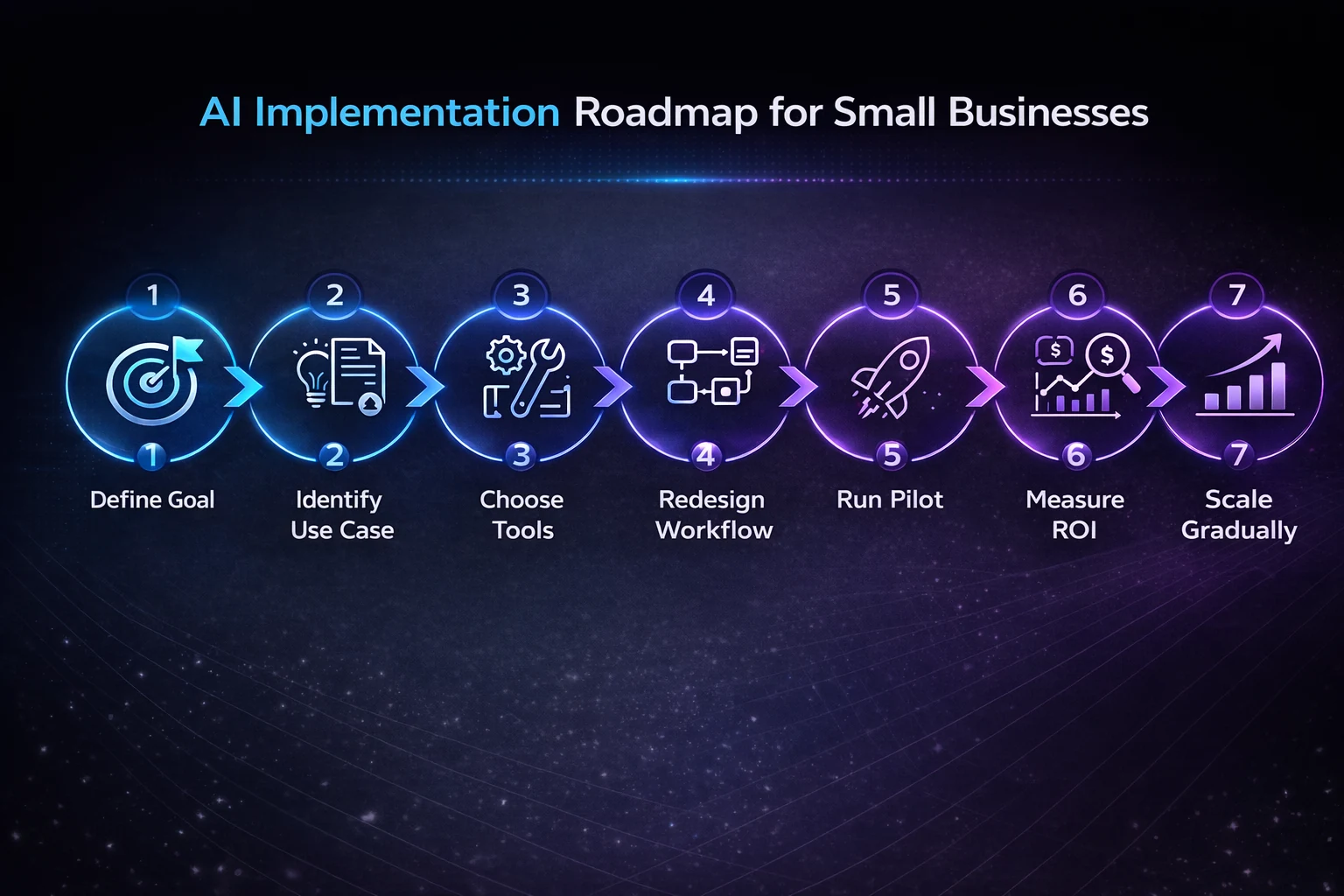
| Step | Focus | Key Outcome | Timeline |
|---|---|---|---|
| 1 | Define Business Outcomes | Clear, measurable goal documented | Week 1–2 |
| 2 | Identify High-Impact Use Cases | Pilot target selected | Week 1–2 |
| 3 | Choose the Right Tools | Tools purchased and trialed | Week 3–4 |
| 4 | Redesign Your Workflow | New workflow documented | Week 5–6 |
| 5 | Run a Controlled Pilot | System running with real data | Week 7–10 |
| 6 | Measure ROI Rigorously | Positive ROI demonstrated | Week 11–12 |
| 7 | Expand Gradually After Success | Second workflow launched | Month 4–6 |
→ Generate your personalised rollout plan using the AI Implementation Checklist tailored to your business size and use case.
Step-by-Step AI Implementation Framework
Step 1: Define Clear Business Outcomes (Not Tools)
Why It Matters
Never start with software. Weak goals lead to unfocused tool purchases, zero measurement, and eventual cancellation—contributing directly to the 70–85% failure rate.
Every implementation must connect directly to revenue growth, cost reduction, or time savings.
What to Do
Strong implementation goals:
- Reduce customer support response time from 4 hours to 90 minutes (40% improvement)
- Increase email conversion rates from 2.1% to 2.5% (15% improvement)
- Eliminate 20 hours monthly of manual reporting
- Automate 60% of routine inquiries without reducing satisfaction
Weak goals to avoid:
- "We should use AI because competitors are"
- "Let's try ChatGPT and see what happens"
- "AI seems important"
Action Checklist
- Identify one business problem with a measurable baseline
- Define the specific metric you will improve
- Set a target percentage improvement
- Set a 90-day deadline before evaluating any tools
Step 2: Identify High-Impact Use Cases
Why It Matters
The right use case determines whether your pilot succeeds or fails before you spend a dollar on tools. High-impact AI use cases share three traits: they happen frequently, they follow predictable patterns, and their outputs can be verified quickly by a human.
What to Do
Proven high-impact areas:
| Use Case | Typical Result |
|---|---|
| Content Creation | 15–20 hours saved monthly |
| Customer Support | 60–70% of inquiries automated within 60 days |
| Email Marketing | 12–18% conversion improvement |
| Sales Optimization | 25–30% more time on high-value activities |
| Workflow Automation | 10–15 hours saved weekly |
High-risk areas requiring human oversight:
- Legal interpretation and contracts
- Regulatory compliance decisions
- Financial approvals
- Hiring and termination decisions
- Crisis management
AI assists in these areas—it cannot make final decisions without qualified human review.
A customer support email workflow that receives 200 identical questions per week is a strong pilot candidate. It's frequent, pattern-consistent, and easily verified. A contract negotiation workflow is not.
Action Checklist
- List your three most time-consuming, repetitive processes
- Apply the three-trait test: frequent, predictable, verifiable
- Select one process as your pilot target
- Confirm it carries low error risk if AI output is imperfect
Step 3: Choose the Right Tools
Why It Matters
Small businesses don't need enterprise systems. Selecting tools before defining your workflow leads to platform mismatches and unused subscriptions.
What to Do
Tool categories and realistic costs:
| Tool Type | Monthly Cost | Primary Use |
|---|---|---|
| AI Assistants (ChatGPT, Claude) | $20/user | Content, research, planning |
| Chatbots (Intercom, Tidio) | $29–$299 | Customer support |
| Automation (Zapier, Make) | $20–$100 | System integration |
| Email AI (Jasper, Copy.ai) | $20–$100 | Marketing content |
| CRM with AI (HubSpot) | $45–$150 | Sales automation |
Realistic starter budget:
| Item | Cost |
|---|---|
| Monthly subscriptions | $100–$500 |
| One-time setup | $2,500–$5,000 |
| Employee training | 2–4 hours per person |
| Timeline to deployment | 3–6 months |
For a complete software selection framework, read: Choosing AI Software for Business: 2026 Guide
Action Checklist
- Research 2–3 tools that match your use case
- Test free trials using real workflows—not demo data
- Avoid annual commitments until trial performance is confirmed
- Verify integrations with your existing stack before purchasing
Step 4: Redesign Your Workflow (Critical Step)
Why It Matters
This step separates successful implementations from subscription waste. Gartner predicts that by 2026, over 80% of enterprise software will embed AI as core features—requiring fundamental workflow thinking, not tool addition.
Most teams skip this step entirely, drop a tool into an unchanged workflow, and wonder why results are marginal. The process must be rebuilt around AI's strengths.
What to Do
Audit your current workflow first. For each step in your process, ask three questions:
- Is this step triggered by a predictable input?
- Does completing it require contextual human judgment?
- Could an error here cause a significant customer or compliance problem?
Steps that are predictably triggered, require minimal judgment, and carry low error risk are prime targets for AI. Steps that fail any of those tests remain human-controlled.
Workflow redesign in practice:
Poor integration (tool added, process unchanged):
| Current Process | AI Addition | Result |
|---|---|---|
| Customer email → Manual reply → Spreadsheet → CRM → Reminder | AI drafts reply only | 5 manual steps remain |
Proper integration (workflow redesigned around AI):
| Redesigned Process | Handler | Time |
|---|---|---|
| Email arrives | System | Instant |
| AI categorizes by intent | AI | Instant |
| AI drafts contextual reply | AI | Instant |
| Human reviews and approves | Human | 30 seconds |
| Auto-sends and CRM updates | System | Instant |
| Analytics refreshes | System | Instant |
| Intelligent follow-up schedules | AI | Instant |
Result: 5 manual steps eliminated. Time reduced from 8 minutes to 90 seconds. Better data captured automatically.
Redesign Principles
- Map current state completely before touching any tool
- Identify every step that involves pattern recognition—those are AI candidates
- Design explicit human checkpoint locations
- Eliminate redundant steps during redesign, not after
- Build feedback loops so the AI improves over time
Action Checklist
- Draw your complete current workflow step by step
- Apply the three-question audit to each step
- Design the redesigned workflow on paper before purchasing tools
- Document human checkpoint locations explicitly
- Complete workflow documentation before tool
Looking for the best software? Check out our ranked list: Best AI Tools for Small Businesses in 2026
Implementation Insights
Across industry reports, implementation case studies, and AI adoption research, one pattern appears consistently:
Businesses that achieve the strongest results with AI usually don't start by adopting multiple tools. Instead, they focus on solving one specific business problem, implement a single AI solution, measure the results, and expand only after proving its value.
Many successful AI rollouts follow a simple sequence:
- Define one repetitive workflow.
- Introduce one AI tool.
- Measure results for 30–60 days.
- Document the new process.
- Expand gradually after demonstrating measurable ROI.
Another common lesson is that AI performs best when it augments existing workflows before taking on larger operational responsibilities. Teams that introduce AI gradually often experience smoother adoption, better employee confidence, and more consistent long-term results.
These recurring implementation patterns are why this guide emphasizes workflow design, measurement, and gradual rollout instead of simply recommending more AI tools.
Step 5: Run a Controlled Pilot (30–60 Days)
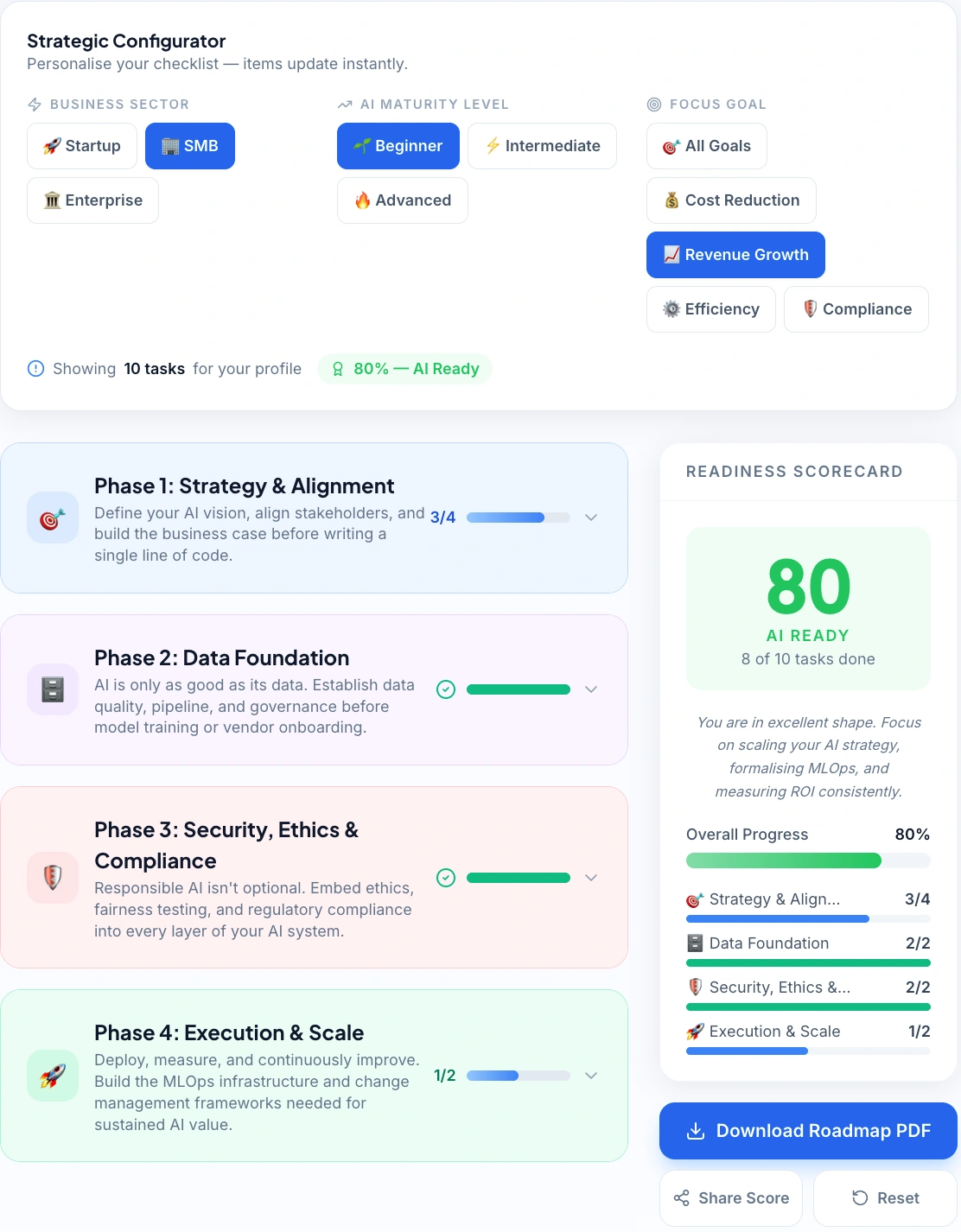
Structured Rollout: Our interactive AI Implementation Checklist allows SMBs to track progress across four critical phases of deployment in real-time.
Why It Matters
Never deploy company-wide initially. Real implementation always reveals unexpected challenges that are only visible during actual use—not during demos or planning.
What to Do
Pilot parameters:
| Parameter | Recommendation |
|---|---|
| Team size | 3–8 people |
| Scope | One specific workflow |
| Duration | 30–60 days |
| Check-in frequency | Weekly, 30 minutes |
| KPIs to track | 2–3 pre-defined metrics |
Selecting the right pilot team: Choose people willing to report problems honestly—not the most enthusiastic AI advocates. Enthusiastic adopters smooth over friction that will create larger problems at scale. You need accurate signal, not positive signal.
Week-by-week approach:
Week 1: Observe only. Document every friction point, workaround, and unexpected output. Don't optimize yet.
Weeks 2–4: Adjust the workflow based on Week 1 observations. Begin tracking KPIs.
Weekly check-in agenda:
- What worked as expected?
- What produced unexpected results?
- What required manual override?
- What data is missing from tracking?
Example metrics by use case:
| Use Case | Metrics to Track |
|---|---|
| Customer Support | Response time, resolution rate, satisfaction score |
| Sales | Lead response time, meeting booking rate, pipeline velocity |
| Content | Pieces published, time per piece, engagement metrics |
| Operations | Hours saved, error reduction, process completion time |
Action Checklist
- Select pilot team of 3–8 people prioritizing honest reporters
- Define 2–3 KPIs and establish baselines in Week 1
- Schedule 30-minute weekly check-ins for the full pilot period
- Document all friction points—don't suppress negative findings
- Complete the pilot before considering company-wide rollout
→ Estimate the potential revenue impact of your pilot using the AI & SaaS Revenue Calculator AI & SaaS Revenue Calculator.
Based on analysis of 50+ SMB AI implementations across marketing, support, and operations workflows.
Step 6: Measure ROI Rigorously
Why It Matters
Only 25% of businesses clearly measure AI ROI, directly contributing to the 70–85% failure rate. Without measurement, you cannot distinguish success from expensive experiments—and you have no business case for expansion.
The ROI Formula
ROI = ((Return − Investment) / Investment) × 100
Four-Step Measurement Method
Step 6a — Establish Baseline (Before Launch)
| Metric | Record Before Pilot |
|---|---|
| Response times | Current average |
| Monthly revenue from target channel | Current figure |
| Manual hours spent weekly | Current count |
| Error rates | Current percentage |
Step 6b — Track Time Savings
| Variable | Example |
|---|---|
| Time before AI | 45 minutes per task |
| Time with AI | 8 minutes per task |
| Frequency | 30 times weekly |
| Minutes saved | (45−8) × 30 = 1,110 min = 18.5 hrs/week |
| Monthly value at $25/hr | 18.5 × 4 × $25 = $1,850/month |
Step 6c — Track Revenue Impact
| Variable | Example |
|---|---|
| Email conversion before | 2.8% |
| Email conversion after | 3.4% |
| Improvement | +0.6 percentage points |
| Monthly email volume | 5,000 |
| Additional conversions | 5,000 × 0.006 = 30 |
| Average order value | $85 |
| Additional monthly revenue | 30 × $85 = $2,550 |
Step 6d — Calculate Total ROI
| Item | Amount |
|---|---|
| Time savings | $1,850 |
| Revenue increase | $2,550 |
| Other benefits | $800 |
| Total monthly return | $5,200 |
| Total monthly cost | $650 |
| ROI | ((5,200 − 650) / 650) × 100 = 700% |
→ Want to model your own numbers? Use the AI ROI Calculator to calculate your projected returns before committing to any tool.
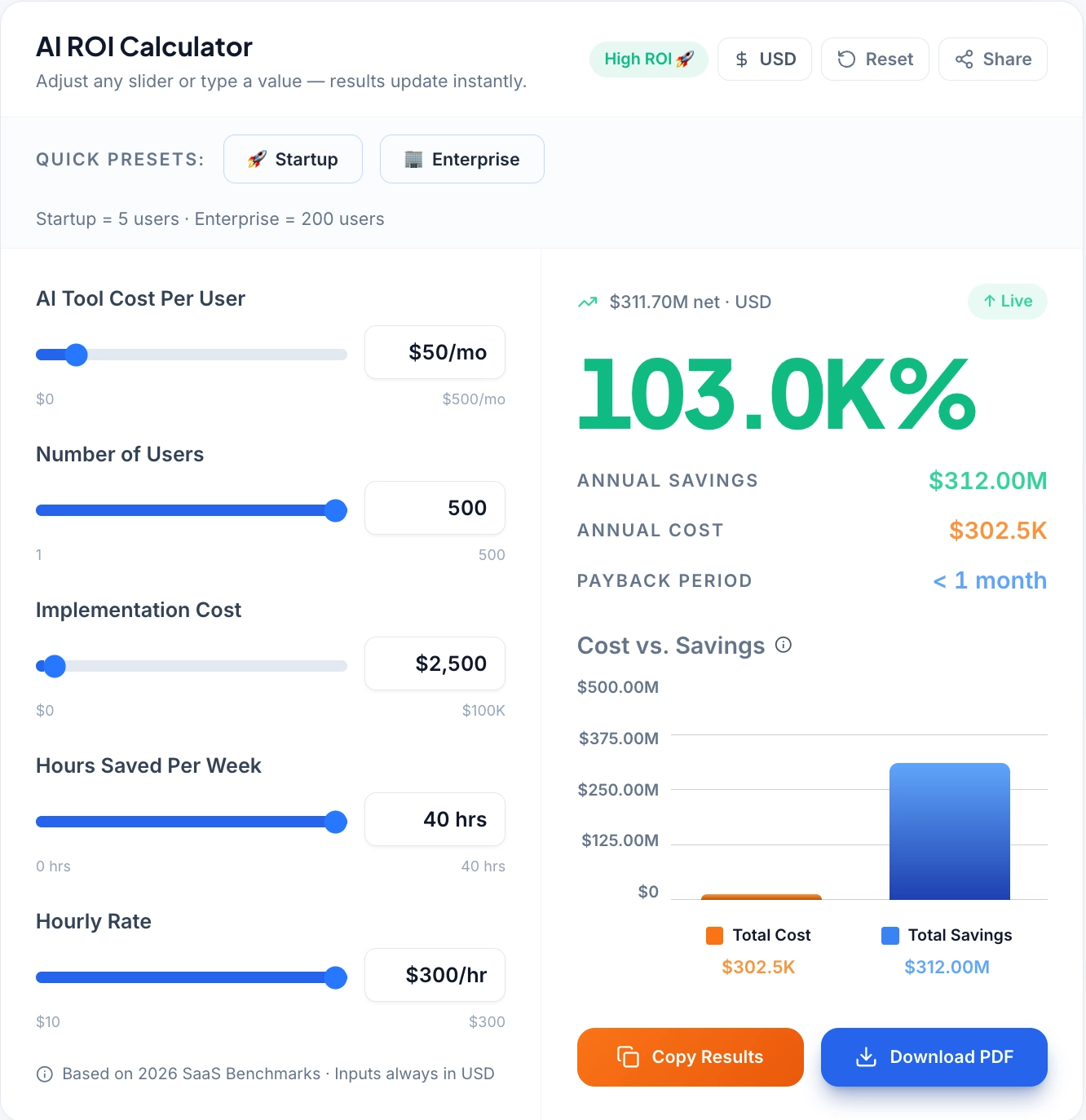
Quantifying Value: Use the AI ROI Calculator to forecast potential savings and payback periods based on your specific team size and hourly rates.
Real-World Example: Landscaping Business
| Item | Cost |
|---|---|
| Chatbot | $49/month |
| Email automation | $29/month |
| Setup (amortized) | $200/month |
| Training (one-time) | $300 |
| First month tota | $578 |
| Ongoing monthly | $278 |
| Return Source | Monthly Value |
|---|---|
| Admin time saved (18 hrs × $25) | $450 |
| Additional bookings | $1,200 |
| Recovered missed opportunities | $800 |
| Total monthly return | $2,450 |
First month ROI: 324% | Ongoing ROI: 781%
The largest ROI driver often isn't time savings—it's captured revenue that previously fell through the cracks. Missed after-hours calls, slow follow-up, and unanswered inquiries represent invisible losses that only become visible when AI makes the comparison measurable.
Action Checklist
- Build your measurement spreadsheet before the pilot launches—not after
- Define every metric, its data source, and who updates it weekly
- Update the spreadsheet weekly throughout the pilot
- Use completed ROI calculation as your expansion business case
Step 7: Expand Gradually After Success
Why It Matters
Businesses that scale too quickly experience 3–4x higher failure rates. The institutional knowledge that made your pilot succeed lives in your pilot team's heads—unless you extract it before expanding.
What to Do
Pre-expansion documentation (allow 2 full weeks):
- Step-by-step process guides
- AI prompts and templates that work
- Troubleshooting guides for common issues
- Edge case solutions and human override protocols
Standardization requirements:
- Quality standards for AI outputs
- Defined human review requirements
- Exception workflows for non-standard situations
- Feedback mechanisms for continuous improvement
Training structure for new users:
- 30-minute onboarding modules
- Video walkthroughs of key workflows
- Peer mentorship pairing with pilot team members
- Monthly optimization sessions
Measured rollout sequence:
| Phase | Action | Success Gate |
|---|---|---|
| 1 | Document pilot learnings fully | Documentation complete |
| 2 | Select second highest-impact workflow | Use case defined |
| 3 | Apply Steps 4–6 to new workflow | Positive ROI confirmed |
| 4 | Compare results across teams | Metrics aligned |
| 5 | Adjust before further expansion | Issues resolved |
Action Checklist
- Spend 2 full weeks on documentation before any expansion begins
- Select second workflow based on impact analysis, not convenience
- Apply the same measurement rigor as the original pilot
- Use cross-team result comparisons to identify optimization opportunities
- Adjust the workflow based on second-team feedback before continuing
AI Implementation Maturity Model (SMB Framework)
Most small businesses don’t fail at AI because of tools—they fail because they don’t understand where they are in the implementation journey.
This 4-level maturity model helps you identify your current stage and what to do next.
Level 1: Tool Usage (Beginner Stage)
At this stage, businesses use AI tools occasionally without integrating them into workflows.
Characteristics:
- Using tools like ChatGPT for content or ideas
- No defined process or consistency
- Results vary based on individual usage
Problem:
No clear returns. AI feels helpful — but not transformative.
Level 2: Workflow Integration (Structured Stage)
AI becomes part of specific workflows, but still requires heavy human involvement.
Characteristics:
- AI used in content creation, email drafting, or support replies
- Some repeatable processes defined
- Human reviews every output
Result:
Time savings begin (20–30%), but scalability is limited.
Level 3: Automation (Efficiency Stage)
AI handles repetitive tasks automatically with minimal supervision.
Characteristics:
- Automated workflows (e.g., email replies, lead routing)
- Integration with tools like CRM and automation platforms
- Reduced manual intervention
Result:
Significant efficiency gains (40–60%) and consistent output quality.
Level 4: AI-Driven Operations (Advanced Stage)
AI becomes a core part of business decision-making and operations.
Characteristics:
- AI influences strategy (pricing, marketing, forecasting)
- Continuous optimization using data
- Minimal manual involvement in routine operations
Result:
Maximum ROI, scalability, and competitive advantage.
Real-World Implementation Examples
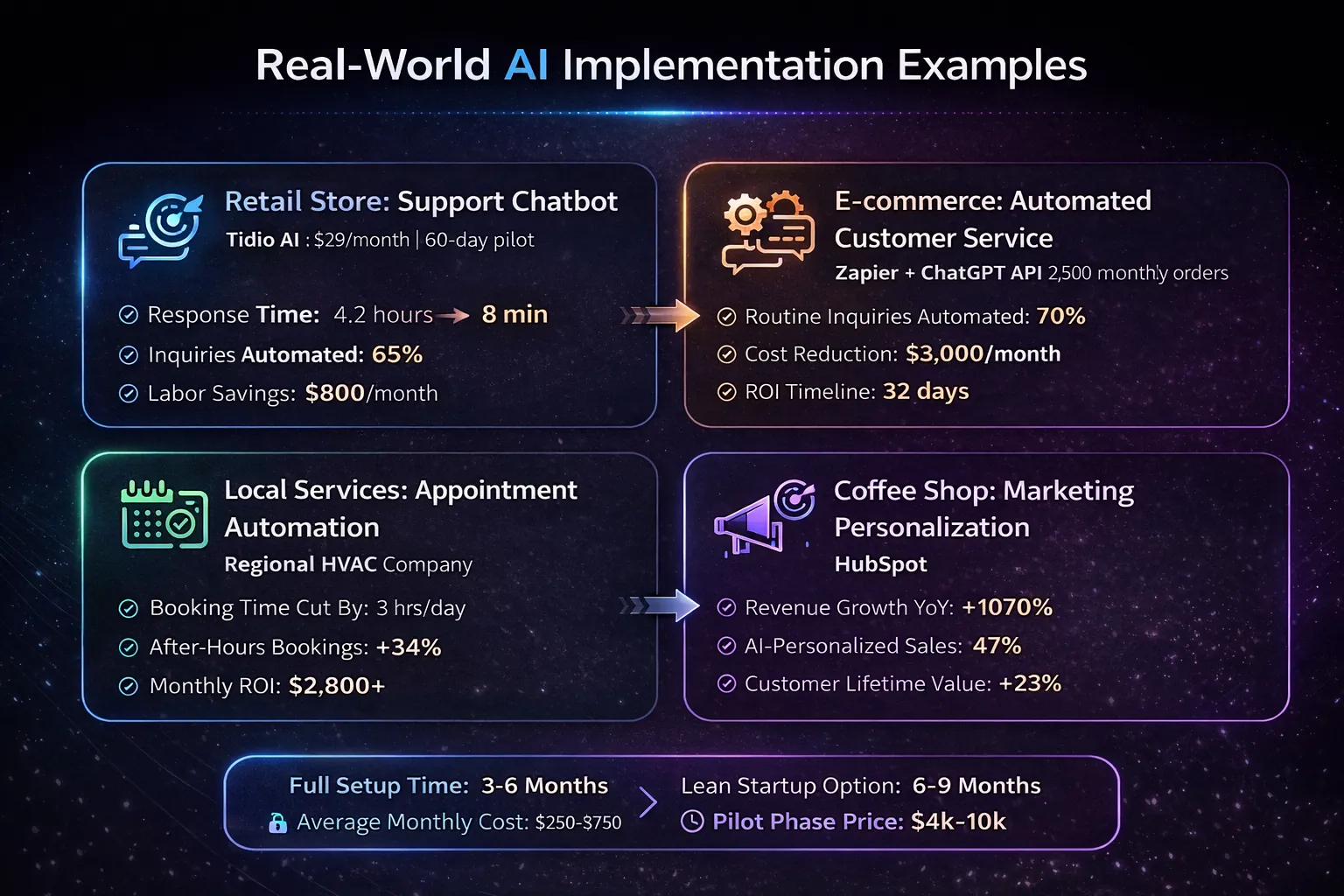
Quantifiable Success: Real-world benchmarks showing how different SMB sectors achieve significant ROI through targeted AI automation.
Retail Store: Support Chatbot
Tool: Tidio AI chatbot ($29/month) | Pilot duration: 60 days
| Metric | Before | After |
|---|---|---|
| Response time | 4.2 hours | 8 minutes |
| Inquiries resolved without human | — | 65% |
| Employee workload | Baseline | −30% |
| Customer satisfaction | 4.1 stars | 4.6 stars |
| Monthly labor savings | — | $800 |
E-commerce: Automated Customer Service
Tool: Zapier + ChatGPT API | Volume: 2,500 monthly orders
| Metric | Result |
|---|---|
| Routine inquiries automated | 70% |
| Order processing speed | +22% faster |
| Monthly cost reduction | $3,000 |
| ROI timeline | 32 days |
Local Services: Appointment Booking Automation
Business: Regional HVAC company (4 technicians) | Tool: AI scheduling assistant integrated with existing CRM
Before: Office manager spent 3 hours daily on scheduling, rescheduling, and confirmation calls. After-hours calls went to voicemail and were lost to faster competitors.
After: 78% of booking requests handled automatically, including after-hours. Office manager's scheduling time dropped to under 45 minutes daily.
| Metric | Result |
|---|---|
| After-hours bookings | +34% |
| Total monthly return | $2,800+ |
| Tool cost | $180/month |
ZUS Coffee: Marketing Personalization
Tool: HubSpot AI marketing personalization — a real-world example of what HubSpot's AI marketing tools can deliver for growing SMBs.
| Metric | Result |
|---|---|
| Revenue growth (YoY) | +107% |
| Revenue from AI-personalized channels | 47% |
| Email open rate | 18% → 31% |
| Customer lifetime value | +23% |
Find the right tech for your growth: Use our AI Tool Selector (Tool 5) to find the best tools for your business size.
Implementation Timeline and Cost Breakdown
Full Implementation Timeline
| Phase | Duration | Key Activities | Success Metric |
|---|---|---|---|
| Strategy | Weeks 1–2 | Define goals, identify use cases, set baselines | KPIs documented |
| Tool Selection | Weeks 3–4 | Evaluate, trial, and test tools | Tool purchased |
| Workflow Redesign | Weeks 5–6 | Map process, design integration | Workflow documented |
| Pilot Launch | Weeks 7–10 | Implement, gather feedback, adjust | System running smoothly |
| Measurement | Weeks 11–12 | Track KPIs, calculate ROI, document lessons | Positive ROI shown |
| Expansion | Months 4–6 | Train teams, scale workflows, standardize | Second workflow launched |
Cost Breakdown
Standard implementation:
| Expense Category | Cost Range | Notes |
|---|---|---|
| Setup & Integration | $2,500–$5,000 | Initial configuration, training |
| Consulting (Optional) | $2,500–$15,000 | Expert guidance |
| Custom Development | $5,000–$50,000 | API integrations, specialized features |
| Data Preparation | $1,000–$10,000 | Organizing, cleaning datasets |
| Monthly Subscriptions | $100–$500 | Ongoing software |
| Training | $500–$2,000 | Guides, sessions, support |
Lean startup version:
| Item | Lean Approach |
|---|---|
| Monthly cost | $20–$100 |
| Consulting | None (online resources) |
| Development | None (no-code tools) |
| Training | Self-service |
| Timeline | 6–9 months vs. 3–6 months |
→ Calculate your total software and infrastructure cost using the CRM Cost Calculator.
Critical Implementation Mistakes
1. No Clear Strategy
Purchasing tools without defined KPIs creates unfocused implementations destined to fail.
Solution: Define one metric to improve by a specific percentage within 90 days before evaluating tools.
2. Poor Data Quality
Messy spreadsheets, incomplete CRMs, and inconsistent data create unreliable AI outputs.
Solution: Dedicate 2–4 weeks to data cleaning before AI implementation begins.
3. Over-Automating High-Risk Decisions
AI without oversight in legal, compliance, or financial areas creates unacceptable risk.
Solution: Establish clear boundaries. AI assists; humans make final decisions on high-stakes matters.
4. No ROI Tracking
The 75% unable to measure ROI are the same businesses canceling subscriptions after months.
Solution: Implement tracking from day one. Review weekly. Adjust based on data.
5. Inadequate Training
46% cite skills gaps as primary barriers. Untrained teams don't adopt tools consistently.
Solution: Budget 2–4 hours per employee. Create reference guides. Celebrate early wins publicly.
Your Strategic Path Forward
AI is no longer optional for small businesses seeking competitive advantage. The question is not whether to adopt—it's how to implement strategically for measurable returns rather than expensive experimentation.
The Compounding Advantage
The gap between the 8.8% achieving full integration and the majority experimenting is significant—and growing. A business that implements AI effectively in year one doesn't just gain an efficiency advantage. It generates better data, refines processes faster, and develops internal expertise that accelerates every subsequent implementation.
By year three, a well-implemented AI strategy creates operational capabilities that a late adopter would take years to replicate—even if they started immediately. Early movers aren't just ahead. They're building structural advantages that widen every quarter.
The Customer Expectation Shift
The competitive dynamic is also reshaping what customers expect. Businesses receiving instant, accurate, personalized responses from AI-enabled competitors increasingly interpret slower responses not as normal practice—but as poor service.
Response time expectations, content quality baselines, and personalization standards are being reset upward by businesses that have operationalized AI effectively. Competing manually against AI-augmented businesses in customer-facing functions becomes progressively harder regardless of product or pricing advantages.
According to Salesforce's State of the Connected Customer report, 80% of customers now consider the experience a company provides to be as important as its products or services—making AI-powered responsiveness a direct revenue driver, not just an operational efficiency.
The SMB Opportunity
For small businesses specifically, AI narrows the operational gap between small and large competitors more than any previous technology. A four-person service business with properly implemented AI can deliver response times, marketing sophistication, and customer experience consistency that previously required teams ten times larger.
That capability is available now—but only to businesses willing to implement with discipline.
The winning pattern remains consistent
- Start with measurable outcomes, not technology fascination
- Identify high-impact use cases through structured analysis
- Redesign workflows before implementing tools
- Run controlled pilots with defined metrics
- Measure ROI rigorously from day one
- Expand gradually after proving value
- Maintain human oversight on high-stakes decisions
Your biggest risk isn't choosing the wrong tool—it's having no implementation strategy. Your biggest opportunity isn't buying more subscriptions—it's operationalizing AI deeply into core workflows where it generates compounding returns.
The businesses implementing AI strategically today are building moats their competitors will spend years trying to cross.
Key Takeaways
AI implementation is no longer about experimenting with tools—it's about building systems that generate measurable business results.
Small businesses that succeed with AI follow a disciplined approach: they start with clear outcomes, select high-impact use cases, redesign workflows before introducing tools, and measure ROI at every stage. This structured execution is what separates the 8.8% of businesses achieving full AI integration from the majority that struggle to see results.
The opportunity is significant. AI can reduce operational costs, unlock new revenue streams, and dramatically improve customer experience—but only when implemented strategically.
If you're just starting, don't overcomplicate it:
- Focus on one workflow.
- Run a controlled pilot.
- Prove ROI before scaling.
The businesses that win with AI in 2026 won’t be the ones using the most tools—they’ll be the ones using AI with the most discipline.
Start this week, not next quarter. The gap between leaders and followers grows wider every month.


