
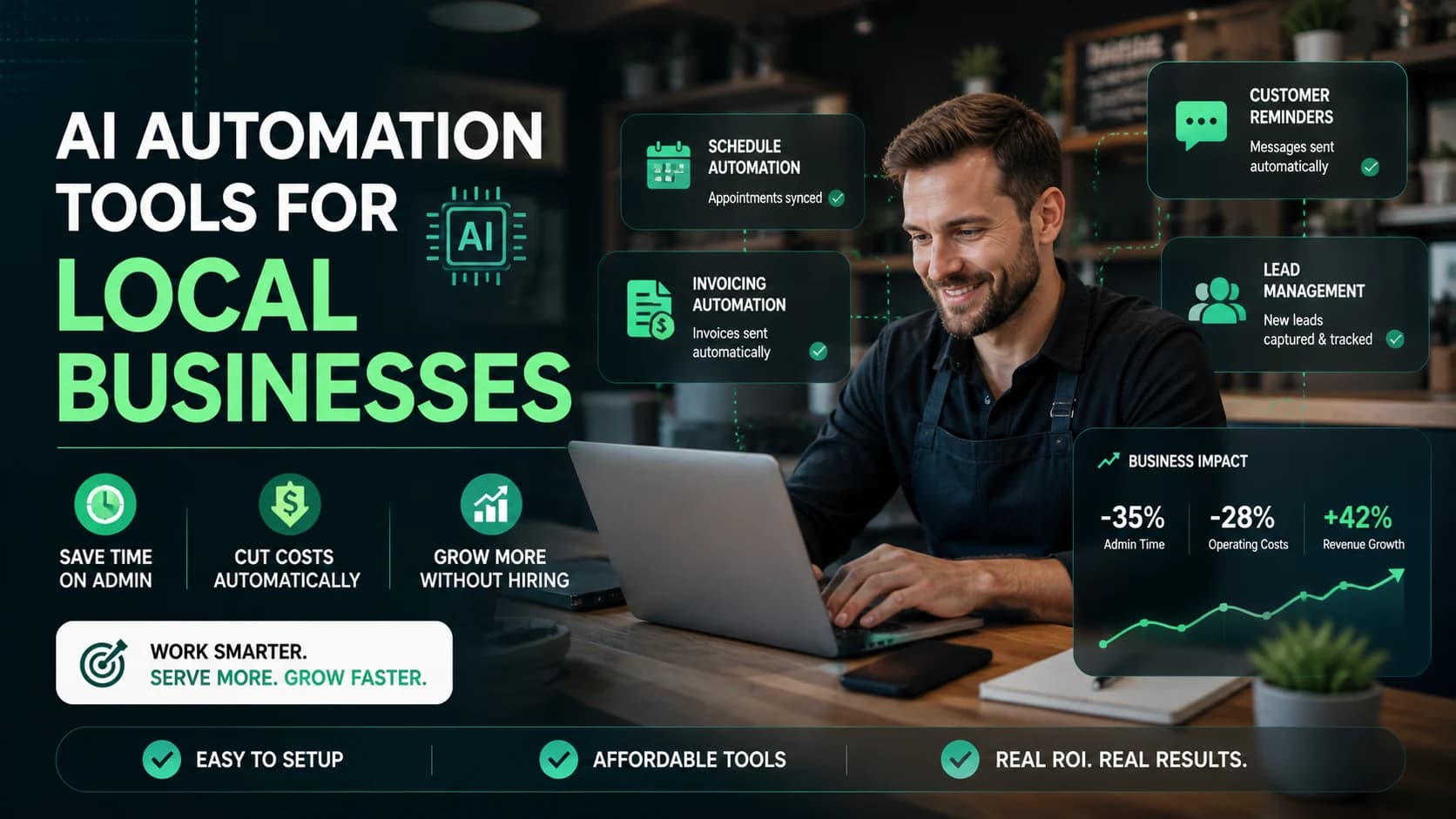
Why AI Automation Is Exploding Among Local Businesses
AI automation for local businesses has moved from experimental to essential. According to IDC, small and mid-sized business AI adoption grew 38% between 2023 and 2025 — and the acceleration is sharpest at the local level, where labor costs are highest relative to revenue. Gartner research from 2025 found that local service businesses adopting AI-driven scheduling and communication tools reduced administrative overhead by 20–30% within the first six months.
The economic pressure is concrete. Labor costs have risen consistently over the last three years, per Bureau of Labor Statistics Employment Cost Index data. One part-time admin at $18–22/hour costs $1,800–2,600/month. AI automation tools covering the same functions — booking, follow-up, lead capture, reminders — now cost $50–150/month.
This isn't about replacing people. It's about deploying them toward work that requires human judgment while software handles what doesn't.
For a broader framework on selecting AI software for your business, see: Complete Guide to Choosing AI Software for Your Business (2026 Edition).
Author's Take: HubSpot's free CRM is a strong starting point for solo business owners because it offers core CRM features at no cost. However, the two-user limit means many small businesses with a receptionist or assistant may need to upgrade to the Starter plan sooner than expected. Before choosing a plan, consider how many team members will need access.
Where Local Businesses Actually Lose Time and Money
Before selecting any tool, identify exactly where the bleeding happens. In local service businesses, five bottlenecks account for most wasted admin hours:
-
Phone-based appointment booking: Averaging 4–6 minutes per call, a 30-appointment/day business spends 2–3 hours daily on scheduling alone — often pulling staff away from customers.
-
No-shows: The average dental practice loses $150–200 per missed slot. Automated reminders reduce no-show rates by 30–50% across documented deployments.
-
Repetitive customer communication: Confirmations, follow-ups, review requests, and reactivation messages are fully templatable but consume 1–2 hours of staff time daily.
-
Invoice and payment follow-up: Automated payment reminders and online payment links reduce average collection time by 40–60% compared to phone chasing, per data from Square and GoCardless.
Collectively, these five bottlenecks consume 15–25 staff hours per week in a typical local business — worth $14,000–26,000 annually at an $18/hour labor rate.
The task consuming the most hours with the least judgment required is your first automation target. Track staff time for one week before selecting any tool — the answer is almost always appointment booking or lead follow-up.
→ Scaling your CRM? Estimate your real cost using the CRM Cost Calculator based on contacts and team size.
ROI Math: What AI Automation Really Saves
⚠️ Hypothetical estimates only. The figures in this section are illustrative examples based on industry averages and publicly available data. Actual results vary significantly by business size, industry, tool configuration, and team adoption. These numbers are not guarantees of return.
Abstract claims about efficiency don't move the needle for business owners making real spending decisions. Here are three concrete ROI scenarios based on typical local business profiles.
Scenario 1: Hair Salon (8 Stylists, $28K Monthly Revenue)
A busy salon spends roughly 2.5 hours daily on phone booking, confirmation calls, and rescheduling — $1,125/month in labor at $15/hour for front desk staff. An AI scheduling and reminder tool (Vagaro, Acuity) costs $90–120/month and handles those tasks automatically.
ROI: (12.5 hrs/week × $15 × 4.3 weeks) − $105/month tool cost = $702/month net value
Scenario 2: Dental Clinic (2 Dentists, $65K Monthly Revenue)
A 2024 Dental Economics analysis found practices using AI-driven reminder and confirmation systems cut no-show rates from 12% to under 5%. At an average procedure value of $175, eliminating 10 monthly no-shows adds $1,750 in recovered revenue. CRM and reminder tools like NexHealth cost $200–350/month.
ROI: (10 appointments × $175 average value) − $275/month tool cost = $1,475/month recovered
Scenario 3: Real Estate Agent (Solo, $180K Annual GCI)
A solo agent wastes 6–8 hours weekly on manual follow-up and CRM data entry — worth $510–680/week at an effective $85/hour rate. An AI CRM with automated drip sequences (Follow Up Boss, LionDesk) costs $60–99/month. Redeploying those hours to prospecting has direct income impact.
ROI: (7 hrs/week × $85 × 4.3 weeks) − $80/month tool cost = $2,475/month in recovered high-value time
ROI Summary by Business Type
| Business Type | Tool Monthly Cost | Admin Labor Replaced | Net Monthly Value |
|---|---|---|---|
| Hair Salon | $90–120 | $1,125 (2.5 hrs/day @ $15/hr) | ~$1,000+ |
| Dental Clinic | $200–350 | $800 + no-show revenue loss | ~$1,400+ |
| Real Estate Agent | $60–99 | $2,550 (7 hrs/wk @ $85/hr effective) | ~$2,400+ |
| Restaurant | $80–150 | $600 (reservation + follow-up labor) | ~$450+ |
| Home Services | $50–120 | $540 (scheduling + invoicing) | ~$420+ |
→ Want exact numbers for your business? Use the AI ROI Calculator to model your specific time savings and cost recovery.
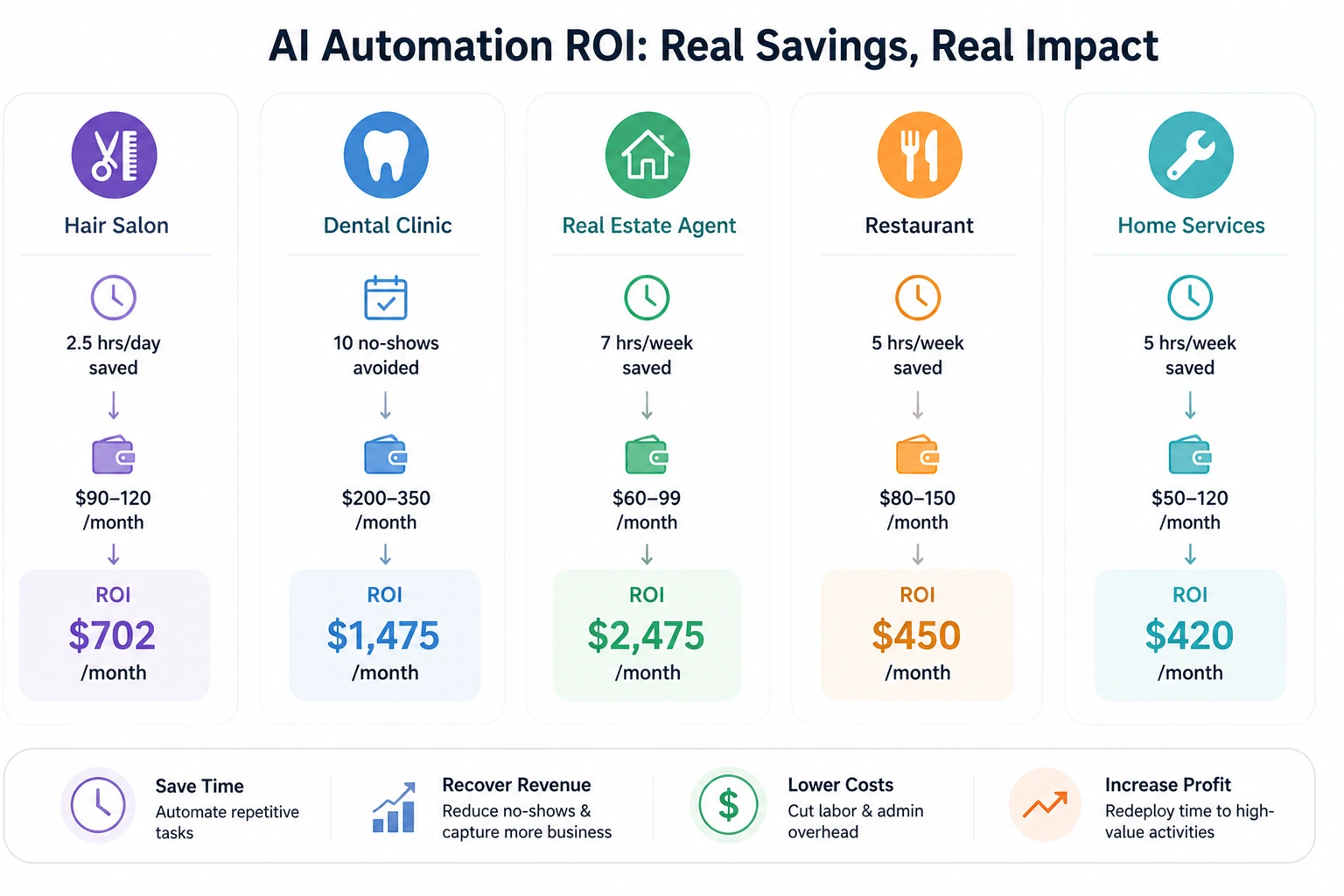
Real-world ROI examples showing how AI automation saves time, reduces costs, and increases monthly revenue across different small business types.
Core AI Automation Stack for Local Businesses
CRM and Lead Management
The CRM is the central hub. For local businesses, it captures leads automatically, triggers follow-up sequences, and tracks customer history without manual data entry.
- Top options: HubSpot CRM (free — covers up to 2 users and 1,000 contacts), Keap ($169/month, strong for service businesses), Follow Up Boss ($69/month, built for real estate)
- Starter pricing: $0–69/month | Upgrade trigger: Follow-up consistently falling behind, or conversion declining despite stable lead volume
- Local example: A home services company auto-captures website inquiries into HubSpot and triggers a same-day follow-up text and email — zero staff involvement
For a detailed breakdown of budget-friendly tools and how to build your first stack, see our Affordable AI Software Guide for Startups and Small Businesses.
Marketing and Email Automation
Automated email and SMS sequences handle reactivation, post-visit follow-ups, and review requests — the communication tasks that fall through the cracks in a busy operation.
- Top options: Mailchimp ($13/month Essentials), Brevo ($25/month Starter with SMS), Klaviyo ($45/month, best for local retail)
- Starter pricing: $0–25/month | Upgrade trigger: Contact list exceeds 1,500 or SMS needed alongside email
- Local example: A salon sends an automated 'We miss you' email with a 10% discount to every client who hasn't booked in 60 days — recovering 8–12 lapsed clients per month with zero staff effort
Appointment Booking
Online self-booking eliminates the phone tag cycle and captures after-hours appointments that would otherwise be lost.
- Top options: Calendly ($12/month), Acuity Scheduling ($20/month — no free plan, 7-day trial only), Vagaro ($30/month with POS for salons), NexHealth ($200+/month for healthcare)
- Starter pricing: $12–30/month | Upgrade trigger: Need staff calendar management, waitlisting, or HIPAA-compliant booking
- Local example: A massage therapist uses Acuity with automated pre-visit intake forms and post-appointment review requests — eliminating 45 minutes of daily admin
AI Chatbots
A website chatbot handles after-hours inquiries, answers FAQs, captures lead details, and routes prospects to booking without a human present.
- Top options: Tidio ($29/month Starter), ManyChat ($15/month for social/SMS flows), Intercom ($74/month for more complex needs)
- Starter pricing: $15–29/month | Upgrade trigger: Chat volume exceeds free tier limits or CRM integration required
- Local example: A dental clinic's Tidio chatbot handles insurance, hours, and booking questions — deflecting 30–40 calls per week
Workflow Automation
Zapier or Make connects your tools so data flows automatically — a new booking creates a CRM entry, a completed appointment triggers a review request, a missed call triggers a follow-up text.
- Top options: Zapier ($19.99/month Starter, billed annually), Make ($9/month Core, stronger for complex multi-step flows)
- Starter pricing: $9–20/month | Upgrade trigger: Multi-step conditional logic or high automation task volumes
- Local example: A real estate agent connects their website form to HubSpot to a Gmail drip sequence via Zapier — every new inquiry enters the pipeline and receives a 5-email follow-up automatically
Industry-Specific Automation Playbooks
Salon or Spa
- Booking: Connect Vagaro or Acuity to your website and Google Business Profile for 24/7 self-booking
- Reminders: Automated SMS confirmation 24 hours before each appointment reduces no-shows by 30–50%
- Retention: Post-visit email with review request + rebooking CTA, triggered 2 hours after appointment end
- Reactivation: Automated 60-day lapsed client email in Brevo with a time-limited offer
Dental or Medical Clinic
- Booking: Deploy NexHealth or a HIPAA-compliant tool for online self-scheduling with intake forms
- Reminders: Automated SMS at 72 hours and 24 hours before visit — document reduction in no-shows from month one
- Recall: CRM flags patients overdue for routine appointments; automated recall message sent without staff involvement
- Chatbot: Tidio on your website handles insurance, hours, and booking FAQs, deflecting 30+ weekly calls
Restaurant
- Reservations: OpenTable or Resy with automated confirmation and no-show deposit requests
- Social leads: ManyChat on Instagram/Facebook handles reservation inquiries and redirects to online booking
- Reviews: Post-visit SMS review request triggered 3 hours after reservation end time
- Marketing: Automated weekly specials or events email to your subscriber list via Mailchimp
Real Estate Agent
- Lead capture: Website form feeds directly into Follow Up Boss or HubSpot, triggering a 7-email drip sequence automatically
- Booking: Calendly for consultations with automated reminders and pre-meeting questionnaires
- Pipeline sync: Zapier connects Zillow/Realtor.com leads to your CRM without manual entry
- Post-close: Automated review request workflow triggered by closed deal status in CRM
Home Services (Plumbing, HVAC, Landscaping)
- Operations: Jobber or Housecall Pro ($49–129/month) handles quote-to-invoice automation with online payment
- Follow-up: Automated text for quotes not accepted within 48 hours recovers 10–20% of lost estimates
- Reviews: Post-job SMS review request triggered by invoice payment confirmation
- Seasonal: Automated service reminder campaigns (HVAC tune-up, gutter cleaning) to your customer list
Cost Breakdown: What It Really Takes to Start
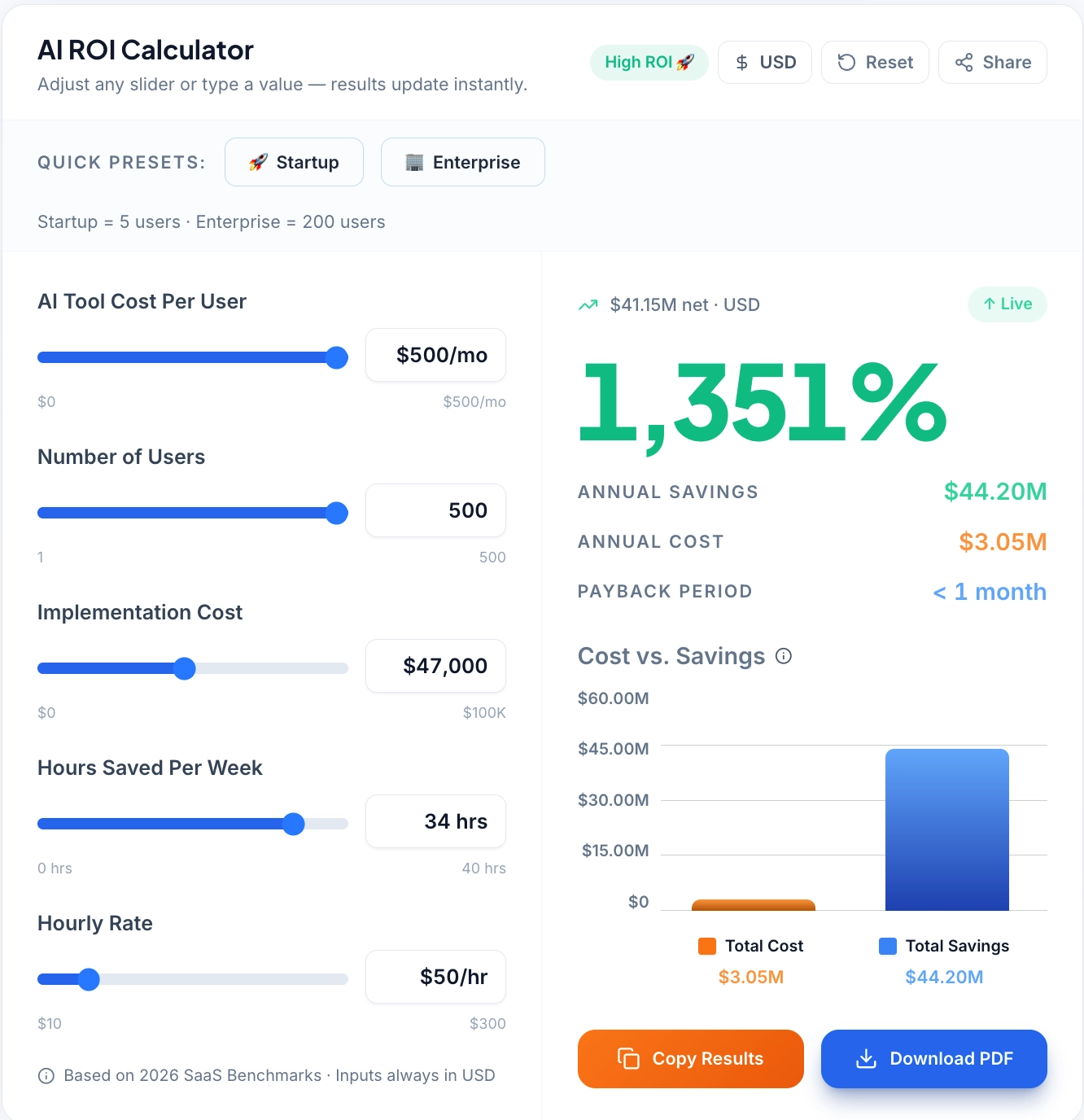
Try our free tool to calculate exactly how many admin hours you can recover each month.
| Automation Category | Recommended Tool | Monthly Cost | Admin Hours Replaced/Month |
|---|---|---|---|
| Appointment Booking | Acuity / Vagaro | $20–30 | 10–15 hrs |
| CRM + Lead Follow-up | HubSpot CRM / Keap | $0–69 | 8–12 hrs |
| Email / SMS Marketing | Brevo / Mailchimp | $13–25 | 5–8 hrs |
| AI Chatbot | Tidio | $29 | 6–10 hrs |
| Workflow Automation | Zapier / Make | $10–20 | 4–6 hrs |
| TOTAL (starter stack) | — | $71–173/mo | 33–51 hrs/mo |
A part-time admin at $18/hour working 20 hours/week costs $1,440/month — and covers far fewer tasks than a full automation stack. The comparison isn't admin vs. automation. It's whether the hours your current team spends on repeatable tasks could be redirected to customer experience, upselling, and service delivery.
How to Implement AI Automation Without Overwhelm
-
Identify your single biggest time drain. Track staff time for one week. The task consuming the most hours with the least judgment required is your first automation target.
-
Start with one automation. Deploy a single tool against that one task and get it working correctly before adding anything else. Most owners who abandon AI tools do so because they implemented five things at once and couldn't troubleshoot when something broke.
-
Connect systems deliberately. Use Zapier or Make to link tools to your existing stack only after the standalone tool is stable. Premature integration creates cascading failures.
-
Track ROI for 30 days. Measure specifically: hours saved, no-shows reduced, lead response time, reviews generated. If you can't measure it, you can't justify scaling it.
-
Scale what works. Once one automation produces proven returns, add the next. A full local business automation stack takes 60–90 days to implement properly — in layers, not all at once.
Local businesses that implement automation in phases.achieve substantially higher sustained adoption rates than those attempting full-stack deployment simultaneously.
When AI Automation Is NOT Worth It
-
You don't have consistent lead volume. Automation amplifies existing systems. Under 10 leads/month, CRM automation ROI is minimal. Build volume first, then automate its management.
-
Your service delivery is inconsistent. Automating review requests before your service quality is reliable accelerates negative feedback. Fix the product before you amplify the feedback loop.
-
You haven't mapped your customer journey. Tools like Keap and HubSpot require defined stages — inquiry, booking, visit, follow-up, reactivation. Without that map, automation tools collect dust.
-
You expect automation to fix a broken sales process. If leads aren't converting because your pricing or offer is off, an automated drip sequence just fails faster. Diagnose conversion issues manually before automating them.
Final Verdict: Is AI Automation Worth It for Local Businesses in 2026?
For most US-based local businesses operating with one to five staff members, the answer is yes — with discipline. A $100–150/month automation stack that saves 30+ admin hours monthly, reduces no-show revenue loss, and captures leads faster than any human can respond generates positive ROI within 30–60 days in most documented cases.
The right frame is amplification, not replacement. AI automation tools remove the administrative friction that prevents your team from spending more time on the work that drives revenue and referrals. They don't replace the stylist, the hygienist, or the agent — they clear the path for those people to do more of what they're actually there to do.
Companies that deploy AI automation with a defined measurement framework typically recover their tool costs within the first 30–45 days — with compounding returns as the tools accumulate behavioral data and workflows mature.
Start with one automation. Measure the result. Build from there.
What This Means for Your Business
AI automation for local businesses isn't a technology decision — it's an operational one. The question isn't whether the tools are capable. It's whether your team has the discipline to deploy one tool at a time, measure what changes, and scale only what works.
A $71–173/month starter stack that replaces 33–51 hours of monthly admin labor doesn't require a technology background. It requires a clear picture of where your time is going, and the willingness to let software handle what software can handle.
Identify your bottleneck. Deploy one tool. Measure for 30 days. Scale from there.


