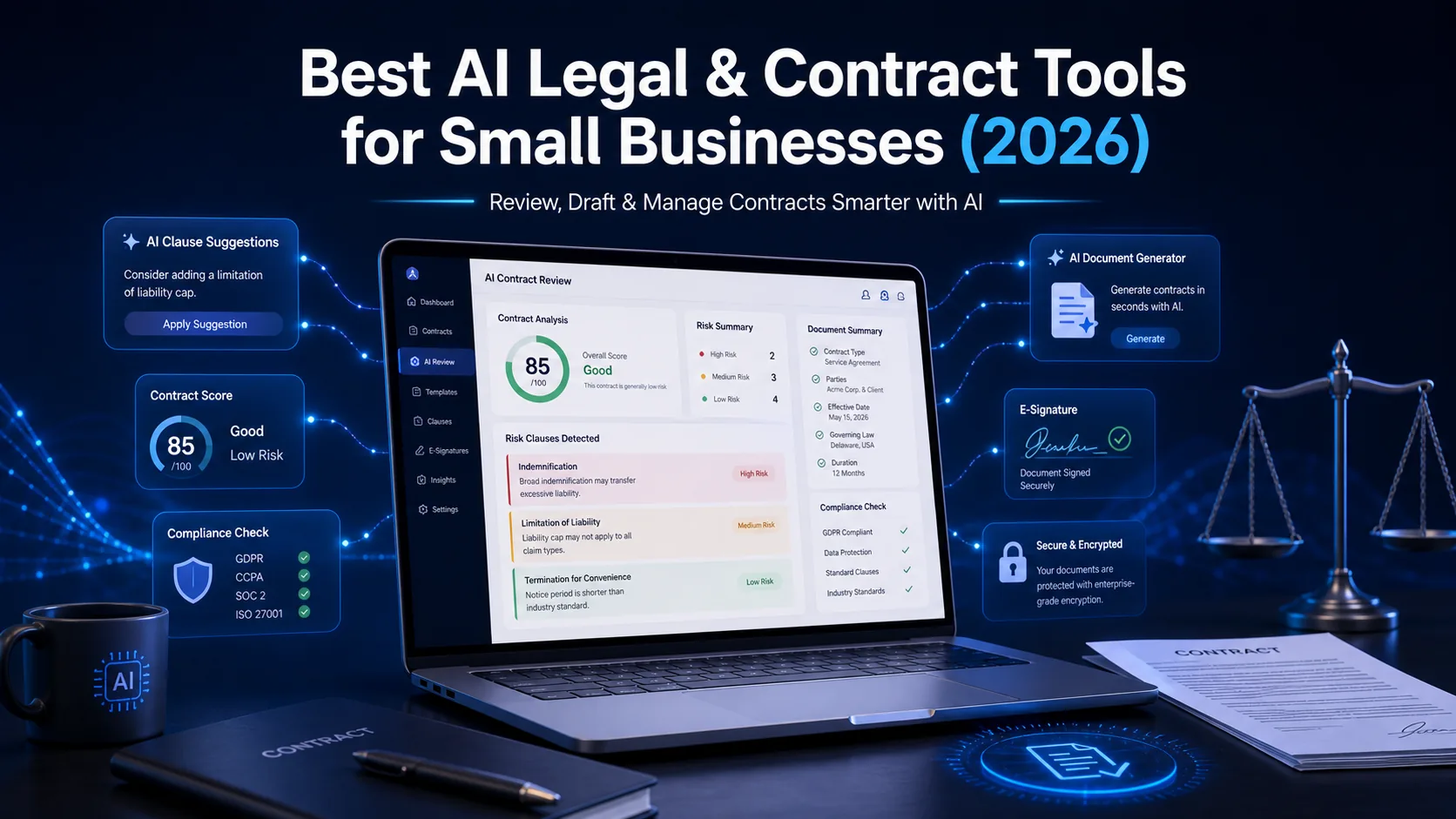
Why Small Businesses Need AI Legal Tools
Common Legal Problems SMBs Actually Face
Legal work in small businesses usually goes one of two ways — either you overpay for it, or you ignore it completely until something breaks. Neither approach works well.
Here's what the situation typically looks like without proper legal tools in place:
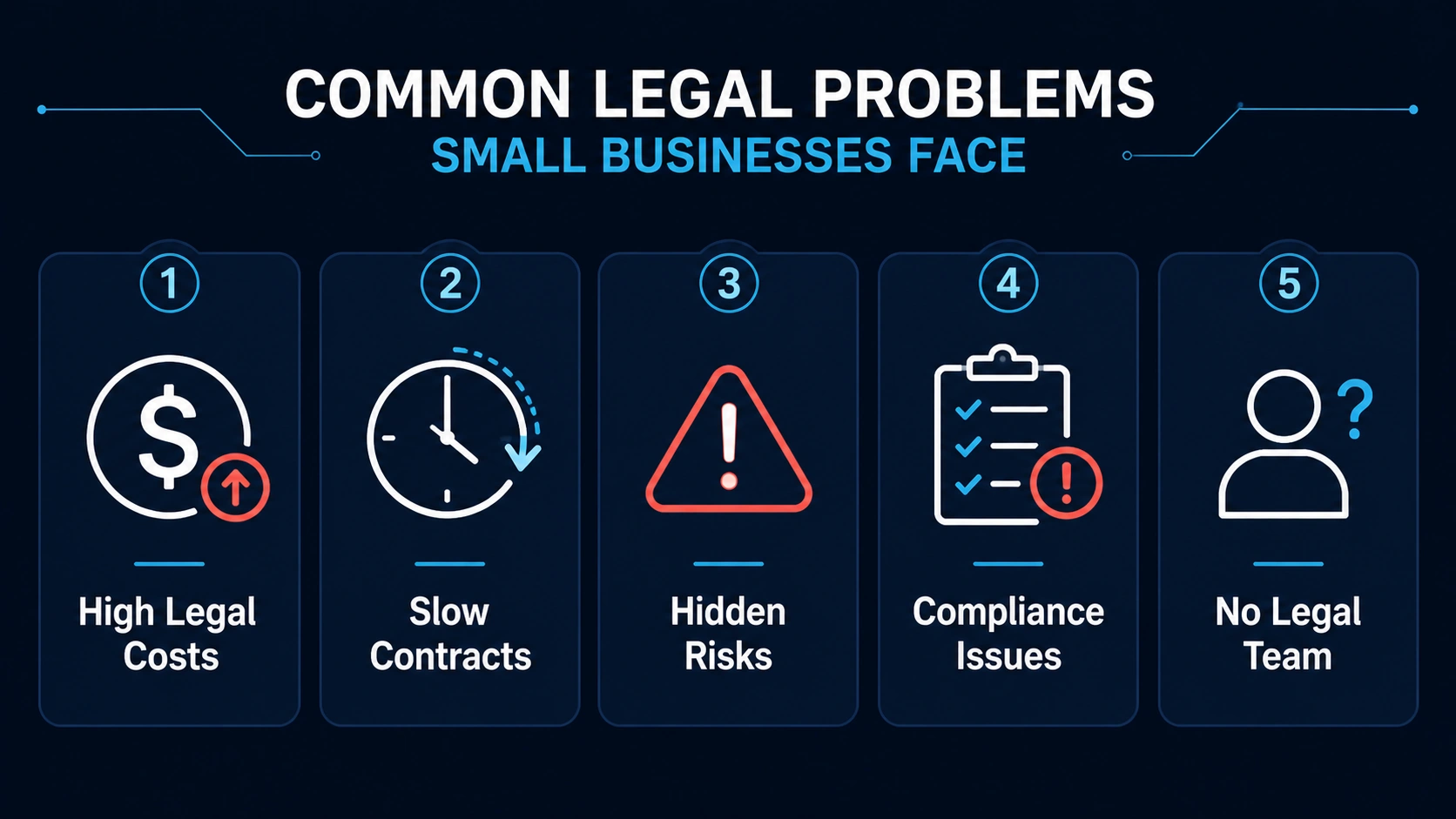
Key legal obstacles that small businesses face and how they impact operations.
High legal costs with no predictability. Business attorneys in most markets charge $300–$500 per hour. For a small business, that's not a line item — it's a project budget. Most owners end up either avoiding lawyers entirely or using them only for the serious stuff, which means everything in between goes unreviewed.
Contracts that take too long to get done. If you need a vendor agreement reviewed, the back-and-forth between your lawyer and the other party's lawyer can take days or weeks. In that time, projects stall, opportunities slip, and you're left chasing signatures instead of running your business.
Missed risks hiding in plain sight. This is where things usually go wrong. Auto-renewal clauses, indemnification terms, limitation of liability language — these aren't written to be obvious. Most business owners don’t fully read contracts — they skim, sign, and assume it’ll be fine, and the problems only surface months later when something goes sideways.
Compliance gaps in everyday contracts. Employment agreements, vendor contracts, NDAs — each of these carries compliance requirements that vary by state and industry. A contract that's fine in one jurisdiction might create exposure in another, and most small businesses have no way to catch that without legal help.
No in-house legal resource. Most SMBs can't justify a full-time counsel. So contracts pile up, signatures get delayed, and legal review becomes a bottleneck that slows everything else down.
What AI Legal Tools Actually Do
AI legal tools aren’t a replacement for lawyers — but for most everyday contracts, they remove the need to involve one every single time. What they do is handle the routine, time-consuming parts of legal work — the parts that were previously either skipped or billed at $400/hour.
In practical terms, here's what you get:
Contract review and risk detection — Upload a contract, get a plain-English summary of key terms, flagged risk clauses, and a list of what you might want to push back on before signing.
Clause suggestions and drafting — Instead of writing contract language from scratch, the tool suggests standard clauses appropriate for the contract type and jurisdiction.
Legal document generation — NDAs, service agreements, contractor agreements, employment offer letters — most AI legal tools can generate solid first drafts in minutes.
Contract tracking and renewal alerts — Know when contracts expire, when auto-renewals kick in, and when you need to act. This alone saves businesses from the classic mistake — forgetting a contract exists until it auto-renews for another year.
Compliance support — Some tools flag jurisdiction-specific requirements and common compliance gaps, particularly for employment and vendor contracts.
One thing to be clear about: AI legal tools are best used as a first pass, not a final sign-off. For high-stakes agreements — major partnership deals, financing documents, employment disputes — you still want a real lawyer involved. But for the dozens of routine contracts most small businesses sign every year, AI handles it well.
- Average attorney hourly rate for business matters: $300–$500
- Typical contract review time with a lawyer: 2–5 business days
- AI contract review time: 2–10 minutes
- Businesses that miss auto-renewal clauses annually: majority of SMBs with no tracking system
- AI legal tool pricing: most start under $50/month
Legal tools are just one part of the stack — here are other AI tools small businesses use for hiring and operations: Best AI HR & Recruiting Tools for Small Businesses (2026).
Best AI Legal & Contract Tools for Small Businesses (2026)
DoNotPay — Best Overall for Small Businesses
DoNotPay started as a tool to fight parking tickets, and it's grown into something much more useful for small businesses. It's not the most powerful tool on this list — but it covers the widest range of everyday legal needs at a price point that makes it accessible for any business.
Key Features:
- Contract review with plain-language explanations
- Legal document generation (NDAs, demand letters, service agreements)
- Auto-renewal clause detection
- Negotiation prompts and suggested edits
- Dispute letter generation
Pricing: Around $36/month. No per-document fees.
Pros:
- Flat monthly pricing — easy to budget
- Covers a genuinely broad range of legal tasks
- Plain-English explanations make contracts understandable to non-lawyers
- Good for businesses that need legal help occasionally across different areas
Cons:
- Not built for complex contract workflows or high-volume processing
- Less powerful than specialized tools for drafting or deep legal analysis
- Some features feel more consumer-focused than business-focused
Best for: Small businesses and solopreneurs who deal with a mix of routine legal tasks — reviewing contracts, generating standard documents, catching risky clauses — and want one affordable tool instead of paying for separate solutions.
If you're unsure how to evaluate these tools, start with this guide on Choosing AI Software for Business: Complete 2026 Guide.
Spellbook — Best for Drafting & Redlining Contracts
Spellbook lives inside Microsoft Word, which is either its biggest strength or a limitation depending on how you work. If your contracts already live in Word (which they do for most small businesses), Spellbook fits into your existing process without adding a new tool to learn.
It uses GPT-4 under the hood, which means the language quality is solid — clause suggestions read like something a real lawyer would write, not something that needs heavy editing before use.
Key Features:
- AI-powered clause drafting directly inside Word
- Redlining and suggested edits based on context
- Risk flagging with explanation
- Tone and formality adjustments
- Negotiation playbook suggestions
Pricing: Starts around $99/month for individuals. Team plans available.
Pros:
- Works inside Word — no new workflow to adopt
- Clause suggestions are genuinely lawyer-quality
- Redlining support saves significant back-and-forth time
- Strong for businesses that negotiate contracts frequently
Cons:
- Requires Microsoft Word — not useful if you work in Google Docs
- Pricier than general-purpose tools
- Primarily a drafting tool — not designed for contract storage or tracking
Best for: Business owners, operations leads, or small legal teams who regularly draft, review, and negotiate contracts and want AI assistance without leaving Word.
DoNotPay is better when you need to understand a contract someone else sent you. Spellbook is better when you're the one writing or negotiating the contract. If you do both regularly, these tools solve different parts of the same problem and can be used together.
Harvey AI — Best for Complex Legal Analysis
Harvey AI is a different category from the other tools on this list. It's not designed for business owners reviewing NDAs — it's built for legal professionals handling complex matters. If you have in-house counsel, a law firm relationship, or a legal operations function, Harvey is worth knowing about.
It can analyze large volumes of legal documents, identify jurisdiction-specific risks, and handle the kind of nuanced legal reasoning that simpler AI tools can't.
Key Features:
- Large-document legal analysis
- Multi-jurisdiction contract review
- Due diligence support for M&A and financing transactions
- Regulatory compliance analysis
- Custom AI trained on firm-specific legal knowledge
Pricing: Custom enterprise pricing. Not designed for solo users or very small businesses.
Pros:
- Best-in-class for complex legal analysis
- Handles large document sets that would take lawyers weeks
- Multi-jurisdiction awareness is genuinely useful for businesses operating across states or internationally
- Trusted by major law firms — strong accuracy
Cons:
- Enterprise pricing puts it out of reach for most small businesses
- Requires legal expertise to use well — not built for non-lawyers
- Overkill for routine contract needs
Best for: Businesses with in-house legal counsel, companies going through M&A or fundraising, or any situation involving complex multi-document legal analysis.
Ironclad — Best for Contract Lifecycle Management
In most small businesses, contracts live in email inboxes, shared drives, and filing cabinets — loosely organized, hard to search, and easy to lose track of. Ironclad solves that by treating every contract as a structured workflow with stages, approvals, signatures, and tracking built in.
It's more than a document tool — it's a contract operations platform.
Key Features:
- End-to-end contract workflow automation
- Approval routing with conditional logic
- AI-powered contract data extraction
- Reporting on contract status, cycle time, and risk
- Native integrations with Salesforce, HubSpot, Slack, and DocuSign
Pricing: Custom pricing. Generally positioned for mid-sized businesses and up. Entry point is typically higher than simpler tools.
Pros:
- Best workflow automation in the category
- Scales well as contract volume grows
- Strong integrations with CRM and sales tools
- Approval routing eliminates the "who needs to sign this" chaos
Cons:
- Not cheap — implementation takes real time and cost
- More tool than most businesses with under 20 contracts/month need
- Requires internal buy-in and process change to get value from it
Best for: Businesses that manage 20+ contracts per month, have multiple stakeholders in contract approvals, or want to build a real contract operations function rather than a filing system.
ContractSafe — Best for Contract Storage & Tracking
This is the tool that solves a problem most businesses don't realize they have until they're frantically searching for a signed agreement from 18 months ago. ContractSafe is built specifically for organizing, searching, and tracking contracts — not generating them.
Key Features:
- AI-powered contract data extraction (key dates, parties, values)
- Full-text search across all uploaded documents
- Automated renewal and expiration alerts
- Custom tags, folders, and metadata fields
- Role-based access controls
Pricing: Starts at $299/month for the Basic plan (unlimited users, up to 500 documents). Higher tiers for larger document volumes.
Pros:
- Search is genuinely excellent — find any contract by keyword, party, date, or clause
- Renewal alerts alone save businesses from being auto-renewed into contracts they wanted to exit
- Unlimited users on all plans — no per-seat cost
- Simple enough that non-legal staff can use it without training
Cons:
- It's a storage and tracking tool, not a drafting or analysis tool — you still need something else for those
- Starting price is higher than general-purpose tools
- Fewer AI analysis features than newer competitors
Best for: Businesses with a growing library of contracts that need to know what they've signed, when things expire, and where everything lives.
Genie AI — Best for Global Contracts
If your business operates internationally — or works with international vendors, clients, or partners — standard US-focused contract templates don't always hold up. Genie AI maintains a large library of jurisdiction-aware legal templates and contract playbooks built for cross-border use.
Key Features:
- 3,000+ lawyer-verified document templates across jurisdictions
- AI contract drafting with jurisdiction selection
- Collaborative editing with tracked changes
- Contract playbook builder for repeat negotiations
- Free community-shared template library
Pricing: Free tier available (community templates). Paid plans from around $119/month for business features.
Pros:
- Template quality is strong — built and verified by practicing lawyers
- Jurisdiction-specific awareness is valuable for cross-border contracts
- Community library provides access to templates without subscription
- Collaboration features make it useful for small teams
Cons:
- Interface is less polished than some competitors
- AI drafting is strong but works best when you know which template to start from
- Support response times can be slow on lower tiers
Best for: Businesses that work internationally or need jurisdiction-specific contracts and want more than a generic US-focused template.
FoundersAgree — Best for Startups
Startups have specific legal needs that most general tools aren't built for — founder agreements, equity arrangements, advisor agreements, SAFE notes. FoundersAgree is designed around exactly that stack.
Key Features:
- Startup-specific document library (founder agreements, SAFEs, advisor agreements, NDAs)
- AI-guided document customization
- Plain-English explanations built into the workflow
- Cap table considerations in equity documents
- Designed for founders without legal backgrounds
Pricing: Entry-level pricing aimed at early-stage startups. Typically under $50/month for core access.
Pros:
- Templates are actually startup-appropriate, not repurposed enterprise contracts
- Plain-English guidance helps founders understand what they're agreeing to
- Price is right for pre-revenue and early-stage companies
- Faster than using a law firm for standard startup legal documents
Cons:
- Limited to startup-specific use cases — not useful for broader small business contract needs
- As the company grows and legal needs become more complex, you'll outgrow it
- Smaller product with a smaller team behind it
Best for: Early-stage startups and founders who need standard startup legal documents done quickly and affordably without paying law firm rates for every template.
Most problems here aren’t legal complexity — they’re process problems.
Lexion — Best Lightweight Legal Management
Lexion sits in the middle ground between ContractSafe (pure storage) and Ironclad (full workflow automation). It's a contract management platform with AI extraction and basic workflow features that's simpler to implement than Ironclad and more capable than a shared drive.
Key Features:
- AI contract data extraction (parties, dates, terms)
- Centralized contract repository with search
- Automated alerts for key dates
- Basic workflow and approval routing
- Integrations with Gmail, Outlook, Salesforce, and Slack
Pricing: Starts around $2,000/year for small teams. Custom pricing for larger deployments.
Pros:
- Easier to implement than Ironclad with a lighter learning curve
- Good integration with email — contracts received via Gmail can be captured automatically
- Data extraction is accurate enough for practical use without heavy manual input
- Reasonable starting price for a business-grade tool
Cons:
- Workflow features aren't as deep as Ironclad
- AI analysis is lighter than specialized review tools
- Annual pricing model may feel rigid for smaller businesses
Best for: Small businesses or teams that need more structure than a shared folder but aren't ready for the complexity and cost of a full CLM platform.
DocuSign CLM — Best for Signing + Workflow
DocuSign is the standard for electronic signatures — most businesses have already sent or received a DocuSign request at some point. What fewer people know is that DocuSign also has a contract lifecycle management product that extends beyond signatures into drafting, negotiation, and post-signature tracking.
Key Features:
- Industry-standard e-signatures
- Contract generation and template management
- Negotiation workflow with redlining
- AI contract analytics and data extraction
- Integrations with Salesforce, SAP, Workday, and most major business tools
Pricing: CLM pricing is custom and enterprise-focused. Signature-only plans start at $15/month per user.
Pros:
- E-signature is the most trusted in the category — no friction with counterparties
- Integration ecosystem is the most comprehensive of any tool on this list
- Familiar interface means minimal adoption resistance from staff
- Strong compliance and audit trail features
Cons:
- Full CLM product is enterprise-priced — not a small business tool at that level
- E-signature alone doesn't give you contract management
- Can feel like a complex product for simple needs
Best for: Businesses that send high volumes of documents for signature and want workflow, templates, and tracking integrated with their signing process. Also ideal for businesses already on Salesforce.
You don’t need perfect legal coverage — you just need to stop making avoidable mistakes.
Gatekeeper — Best for Compliance-Heavy Teams
Some businesses operate in environments where contract compliance isn't optional — regulated industries, government contractors, businesses with complex vendor networks. Gatekeeper is built for that situation: contract management with compliance monitoring, risk scoring, and vendor relationship management baked in.
Key Features:
- Contract and vendor management in a single platform
- AI risk scoring across contract portfolios
- Compliance deadline tracking and alerting
- Vendor onboarding and performance tracking
- Custom risk frameworks and scoring models
Pricing: Custom pricing. Generally positioned for mid-market and above.
Pros:
- Best-in-class for businesses with vendor compliance requirements
- Risk scoring across the full contract portfolio — not just individual documents
- Vendor management alongside contract management saves tool sprawl
- Strong for businesses with regulatory reporting requirements
Cons:
- Overkill for businesses with simple contract needs
- Implementation requires meaningful setup time
- Pricing reflects enterprise positioning
Best for: Businesses in regulated industries, government contractors, or any company managing a large vendor network where contract compliance is an operational requirement rather than a nice-to-have.
→ Calculate your total stack cost before committing: Use the SaaS Pricing Calculator to model your monthly spend based on team size and tool combination.
Comparison Table: Top AI Legal Tools (2026)
| Tool | Starting Price | Best For | Key AI Feature | Free Plan |
|---|---|---|---|---|
| DoNotPay | ~$36/mo | Everyday legal tasks | Contract review + risk detection | ❌ |
| Spellbook | ~$99/mo | Drafting & redlining | GPT-4 clause suggestions in Word | ✅ Trial |
| Harvey AI | Custom | Complex legal analysis | Multi-jurisdiction AI reasoning | ❌ |
| Ironclad | Custom | Contract lifecycle management | Workflow automation + AI extraction | ✅ Trial |
| ContractSafe | $299/mo | Contract storage & tracking | AI data extraction + renewal alerts | ✅ Trial |
| Genie AI | Free / $119/mo | Global contracts | Jurisdiction-aware templates | ✅ |
| FoundersAgree | <$50/mo | Startups | Startup-specific AI document guide | ✅ Trial |
| Lexion | ~$2,000/yr | Lightweight CLM | Email-integrated contract capture | ✅ Trial |
| DocuSign CLM | Custom / $15/user/mo | Signing + workflow | AI analytics + audit trails | ❌ |
| Gatekeeper | Custom | Compliance-heavy teams | Portfolio-level risk scoring | ❌ |
AI Legal Tools vs. Traditional Lawyers
This comparison gets misused a lot — usually by people trying to argue that AI replaces lawyers (it doesn't) or by people dismissing AI tools as unreliable (they're not, for the right use cases).
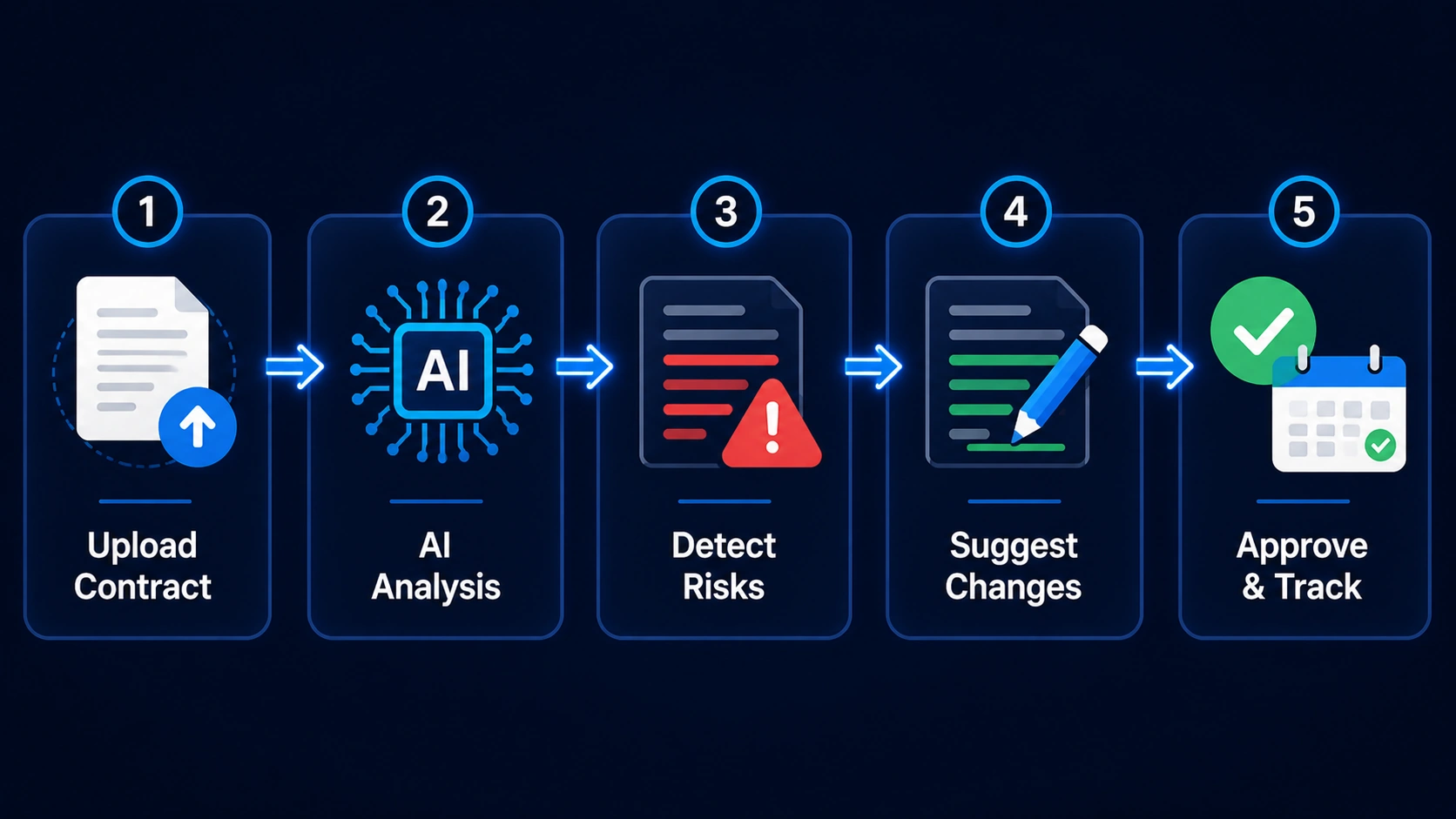
The step-by-step process of using AI to automate and secure business contract management.
The honest picture looks like this:
| Factor | AI Legal Tools | Traditional Lawyers |
|---|---|---|
| Cost | Low — typically $36–$300/mo flat | High — $300–$500+/hour |
| Speed | Minutes for contract review and drafting | Days to weeks depending on complexity |
| Availability | 24/7, immediate | Limited to business hours and schedule |
| Accuracy | High for routine contracts — needs human review | Very high — especially for complex or unusual situations |
| Jurisdiction awareness | Varies by tool — some handle multi-jurisdiction well | Strong — lawyers know local law in their practice area |
| Complex legal strategy | Not capable | Essential |
| Best use case | Routine contracts, document generation, tracking | Complex deals, disputes, regulatory matters, high-stakes decisions |
One thing to be clear about: AI tools and lawyers aren't competing options for most situations. They serve different needs. AI handles the volume of routine work — the 40 NDAs, the vendor agreements, the standard service contracts. Lawyers handle the situations where the stakes are high enough that you need someone accountable for the advice.
In most small businesses, the realistic approach is to use AI tools for the routine work, which reduces the time you spend with lawyers and makes those hours go further when you need them.
The biggest legal risk for most small businesses isn’t a lawsuit — it’s a contract they signed without properly understanding.
Which AI Legal Tool Should You Choose?
| If You Need | Recommended Tool |
|---|---|
| Review contracts quickly | DoNotPay |
| Draft and negotiate contracts | Spellbook |
| Handle complex or multi-jurisdiction legal analysis | Harvey AI |
| Manage a growing volume of contracts with workflows | Ironclad |
| Store, search, and track signed agreements | ContractSafe |
| International or jurisdiction-specific contracts | Genie AI |
| Startup legal documents (founder agreements, SAFEs) | FoundersAgree |
| Lightweight CLM without enterprise complexity | Lexion |
| E-signatures + contract workflow | DocuSign CLM |
| Vendor compliance and contract risk monitoring | Gatekeeper |
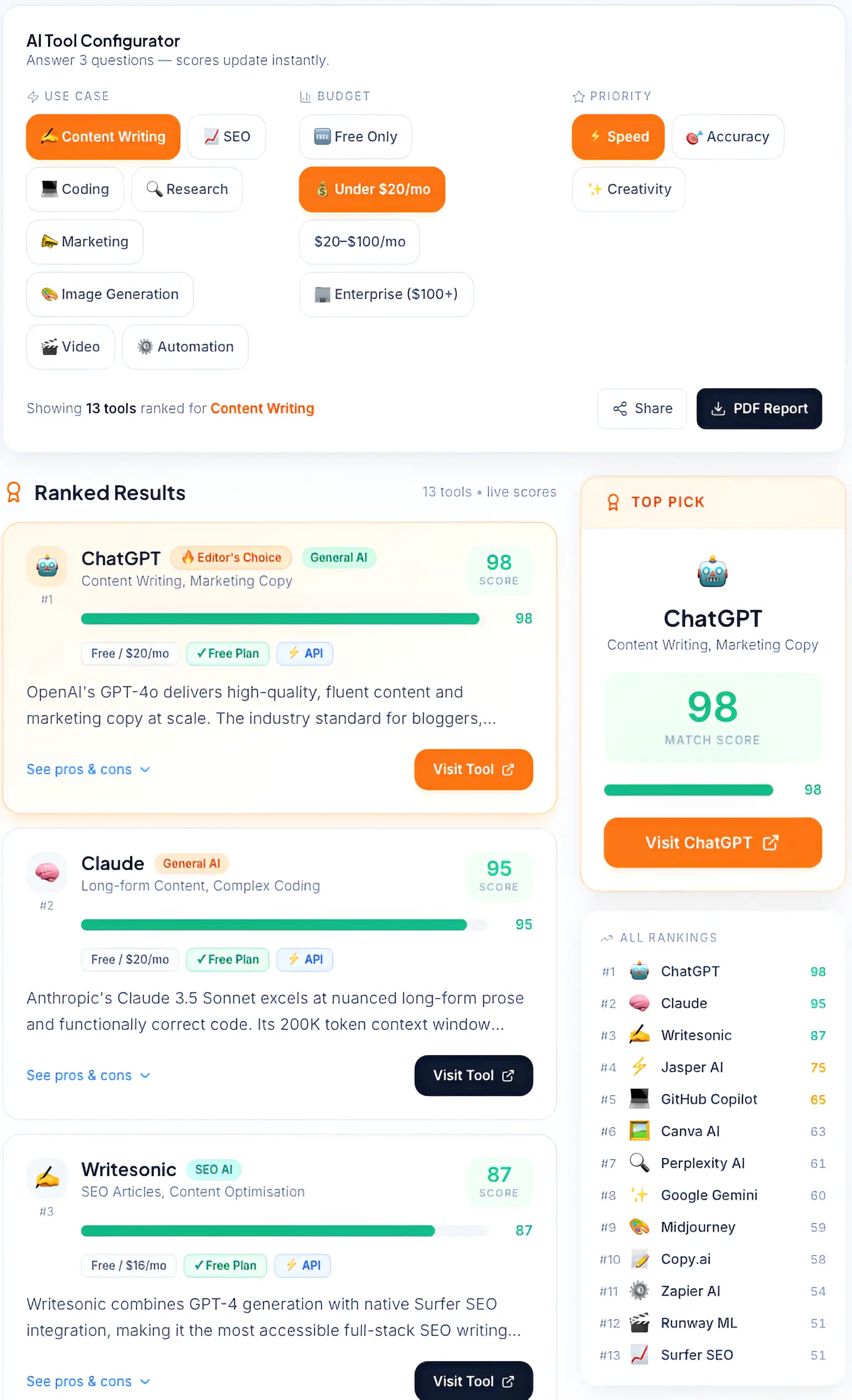
Comparing top-rated AI tools for business tasks based on accuracy, speed, and budget.
How to Choose the Right AI Legal Tool
Based on Business Stage
Where you are in your business lifecycle genuinely changes which tools make sense.
Early-stage / startup: Your legal needs are mostly standard — NDAs, contractor agreements, co-founder agreements. FoundersAgree or DoNotPay covers most of it without overcomplicating things. Genie AI's free tier is also worth trying for template access.
Growing SMB (10–50 employees): At this stage, you're probably juggling vendor contracts, employment agreements, and client agreements simultaneously. You need something with tracking and alerts — ContractSafe or Lexion — plus a drafting tool like Spellbook or DoNotPay.
Scaling company (50+ employees): Contract volume is high enough that a CLM platform makes sense. Ironclad or DocuSign CLM handles the workflow, and Gatekeeper makes sense if compliance is a significant concern.
Based on Legal Needs
The clearest way to choose: identify your biggest pain point first.
If you're drowning in contracts to review, you need AI screening — DoNotPay or Spellbook.
If you're losing track of what you've signed and when things expire, you need storage and tracking — ContractSafe or Lexion.
If you're constantly drafting and negotiating, you need a drafting tool — Spellbook.
If you're managing vendors with compliance requirements, you need Gatekeeper.
If you're operating internationally, you need Genie AI.
Based on Budget
Being practical:
Under $50/month: DoNotPay, FoundersAgree, Genie AI (free tier)
$50–$200/month: Spellbook, Genie AI paid, Lexion
$200–$500/month: ContractSafe, Lexion higher tiers
Custom / enterprise: Ironclad, Harvey AI, DocuSign CLM, Gatekeeper
One thing to watch out for: per-document pricing adds up quickly if your contract volume is high. Flat monthly plans are usually easier to budget for growing businesses.
If you're trying to reduce recurring costs, explore these budget-friendly options: Best AI Tools Lifetime Deals 2026.
Based on Risk Level
Not all contracts carry the same risk. A standard NDA with a vendor is low-stakes. A partnership agreement or a multi-year service contract with significant financial obligations is not.
For low-risk, routine contracts, AI review and drafting tools are more than sufficient.
For medium-risk contracts — employment agreements, IP assignments, larger vendor deals — use AI as a first pass and have a lawyer review the final version.
For high-risk situations — M&A, major partnership agreements, financing documents, disputes — don't rely on AI tools as your primary resource. Use a real lawyer. The tools in this list aren't designed to replace legal counsel in situations where the stakes are genuinely high.
Studies from Deloitte show that AI-assisted contract analysis helps businesses identify risks faster and maintain better compliance across large contract volumes.
AI Legal Tech Trends (2025–2026)
A few things worth knowing about where this category is heading.
AI adoption in legal is accelerating across business sizes. It's not just law firms and large enterprises anymore. The tools have gotten accessible enough — and cheap enough — that small businesses with no legal background are using them for everyday contract work.
Explainable AI (XAI) is becoming a standard expectation. Earlier AI legal tools would flag a clause as risky without explaining why. Better tools now show their reasoning — which clause triggered the flag, why it's a concern, and what alternatives exist. This makes the output actually useful rather than just alarming.
AI is embedding into tools people already use. Spellbook's Word integration is an example of this trend. Rather than asking businesses to adopt a new legal platform, AI legal features are showing up inside Microsoft 365, Google Workspace, Salesforce, and email clients. Expect this to expand.
Multi-jurisdiction legal AI is improving. Global business operations create real legal complexity. Tools that can handle contract review across multiple jurisdictions — not just US law — are becoming more capable and more accurate. Genie AI and Harvey AI are ahead here.
Privacy-first AI architecture is becoming a differentiator. Contracts contain sensitive business information. Tools that offer private data processing, no training on customer data, and clear data residency options are increasingly preferred over general-purpose AI with less defined data practices.
According to Stanford Law School's CodeX Center for Legal Informatics, AI-assisted contract review now performs at or above human accuracy on standard clause identification tasks — with the important caveat that it still requires human review for strategic and contextual judgment.
Pros and Cons of AI Legal Tools
✅ What They're Genuinely Good At
Cost savings on routine work. If you're currently paying a lawyer $400/hour to review a standard vendor NDA, AI handles that in minutes at a fraction of the cost. Over the course of a year, for a business signing 20–40 routine contracts, the savings are material.
Faster contract processing. Reducing contract review from three days to ten minutes has operational benefits beyond just cost. Projects start faster. Vendors don't lose patience. Sales cycles close sooner.
Risk detection you'd otherwise miss. Auto-renewal clauses. Unilateral amendment rights. Limitation of liability caps. Indemnification that runs the wrong direction. These things are easy to miss when you're reading a contract quickly — and AI is surprisingly good at catching them.
According to recent research by McKinsey & Company, AI adoption in business operations — including legal workflows — is significantly improving efficiency and reducing manual workload across teams.
❌ What They Can't Do
They're not a replacement for a real lawyer in complex situations. If you're negotiating a major partnership, facing a legal dispute, or signing anything where the financial stakes are significant, AI tools are a starting point — not a substitute for actual legal counsel. This isn't a knock on the technology — it's just the reality of what these tools are built to do.
Accuracy depends heavily on your inputs. Vague job descriptions produce generic contract drafts. Poorly defined requirements produce incomplete reviews. The quality of what you put in shapes the quality of what you get out.
Legal liability stays with you. AI tools don't hold legal responsibility for their output. If a contract they helped draft has a problem, that's on the business that signed it. Use these tools to make better-informed decisions — but make the final call yourself, ideally with professional input on anything that matters.
You sign a SaaS contract → forget renewal → next year surprise invoice
→ Want to see if these tools are actually worth the investment? Use the AI ROI Calculator to estimate potential savings based on your business usage.