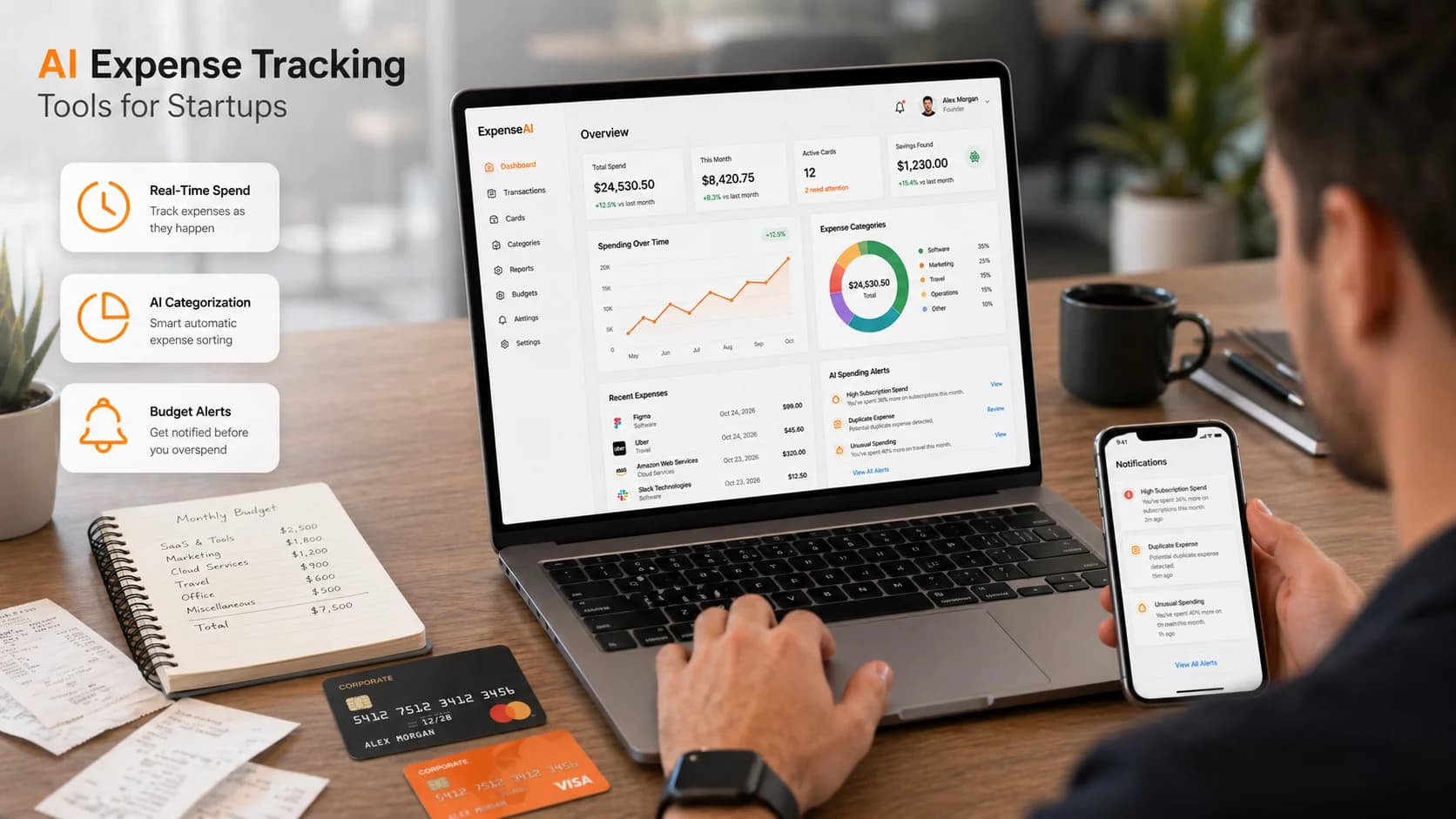
What Are AI Expense Tracking Tools?
AI expense tracking tools are software platforms that capture, categorize, and control business spending — automatically, in real time, without waiting for employees to submit paper receipts at month end.
The "AI" part is specific. These tools use OCR (optical character recognition) to extract data from receipts the moment a photo is taken. Machine learning categorizes each transaction by vendor, department, and spend type. Automation flags policy violations before a reimbursement is approved — or before a card swipe even clears.
Here's what they actually solve:
- Receipt chaos — employees lose receipts; tools capture them instantly via mobile photo or email forward
- Delayed visibility — finance teams wait weeks for expense reports; AI tools show spend the moment it happens
- Policy enforcement — manual approval processes miss violations; automated rules catch them in real time
- Month-end reconciliation — manual categorization takes days; AI categorizes and syncs to accounting tools continuously
The practical shift: instead of building a picture of what your startup spent last month, you see exactly what it's spending right now — and you can act on it.
For a broader look at building your startup's financial operations stack, see: Complete Guide to Choosing AI Software for Your Business (2026 Edition).
Traditional vs Modern Expense Tracking
This distinction matters more than any feature comparison. The tool you choose depends on which workflow your startup is running — or which one it should be running.
Traditional (Reimbursement-Based)
The old workflow: an employee spends their own money → submits an expense report → a manager approves → finance processes the reimbursement → accounting reconciles it.
The problems are structural, not just inconvenient:
- Finance sees spending weeks after it happens — no real-time control
- Employees front personal cash, creating resentment and cash flow pressure on individuals
- Manual categorization errors compound across dozens of submissions
- Policy violations are caught after the money is already spent
Modern AI (Card-Based + Real-Time)
The current model: a company card is issued with pre-set limits and category rules → employee swipes → the transaction is captured instantly → AI categorizes it → policy checks run automatically → the transaction syncs to accounting.
The result is fundamentally different:
- Finance sees spend as it happens, not after
- Employees never carry personal financial burden
- Category rules and spend limits prevent violations before they occur
- Month-end close goes from days to hours
Expense tracking has shifted from a reporting function to a real-time control function. The best tools today don't just record what your team spent — they prevent overspending before it happens and give you the data to make faster decisions about runway, headcount, and growth.
Why Startups Need AI Expense Tracking Tools
Startups operate on constrained runway, lean teams, and high spend velocity. That combination makes financial visibility more critical — and more difficult — than in established businesses.
According to a 2025 Brex survey of startup founders, 63% of early-stage teams say they lack real-time visibility into company spending. The consequences are concrete: surprise invoices, budget overruns that compress runway, and month-end scrambles that pull the founding team away from product and customers.
- Visibility gap: 63% of early-stage startups lack real-time spend visibility, per Brex 2025 Startup Finance Survey.
- Time lost: Finance managers at seed-stage companies spend an average of 8–12 hours per month on manual expense reconciliation, per a 2025 SCORE report.
- Compliance risk: Startups without automated policy enforcement experience 2.4x more expense policy violations than those using card-based tools, per Airbase 2024 research.
- Month-end close: Startups using AI expense tools close their books 5–7 days faster per month than those relying on manual workflows, per Ramp internal data 2025.
- Cost of reimbursement: Processing a single expense report manually costs an average of $58 in staff time, per the Global Business Travel Association.
The core benefits of switching to AI-powered expense tracking:
- Real-time spend visibility — see every dollar as it's spent, not three weeks later
- Faster month-end close — automated categorization and accounting sync eliminate the reconciliation backlog
- Policy enforcement at the point of spend — card rules stop violations before they happen
- Better runway control — accurate, real-time burn data feeds directly into financial planning
For startups managing investor capital, the last point is the most important. You cannot accurately project runway if your spend data is two weeks old.
For a deeper look at planning and controlling your startup finances beyond expense tracking, see: AI Budgeting Tools for Business Owners (2026).
Best AI Expense Tracking Tools for Startups (2026)
1. Ramp
Best for: VC-backed startups that want real-time spend control, automated savings, and accounting sync
Ramp has become the default expense tool for US-based startups for a clear reason: it's free for most use cases, genuinely useful from day one, and actively helps you spend less. Its AI engine analyzes spending patterns and surfaces specific cost-saving opportunities — identifying duplicate SaaS subscriptions, negotiating vendor rates, and flagging underused tools.
Key AI features:
- Real-time spend alerts and automated policy enforcement
- AI-powered duplicate subscription detection
- Automatic receipt matching via email forwarding or mobile capture
- One-click sync with QuickBooks, Xero, and NetSuite
- Spend anomaly detection and category-level budget alerts
Pricing:
- Ramp: Free (corporate cards + core expense management)
- Ramp Plus: $15/user/month (advanced controls and custom workflows)
- Ramp Enterprise: Custom pricing
Pros: Free tier is genuinely full-featured, best-in-class savings AI, fast accounting sync Cons: US-only corporate cards, less suited for international teams with multi-currency needs
2. Brex
Best for: Global startups, high-growth teams, and founders who need multi-currency corporate cards
Brex is the strongest alternative to Ramp for startups with international operations or significant travel and SaaS spend. It offers multi-currency cards, global SWIFT payments, and AI-powered spend analytics — all without requiring a personal guarantee, which matters for early-stage founders.
Key AI features:
- AI spend categorization across cards, reimbursements, and bill pay
- Real-time budget limits and policy enforcement by team or project
- Automated receipt collection via SMS, email, or Slack
- Integration with QuickBooks, Xero, Sage, and NetSuite
- AI-powered vendor insights and spend benchmarking
Pricing:
- Essentials: Free (for startups with Brex banking)
- Premium: $12/user/month
- Enterprise: Custom pricing
Pros: Strong global card support, multi-currency, excellent Slack integration, no personal guarantee required Cons: Full feature set requires Brex banking relationship, some advanced features gated behind higher tiers
3. Expensify
Best for: Teams running reimbursement-based workflows, or businesses with high out-of-pocket employee spend
Expensify is the most established name in expense management and still the best choice for startups that haven't moved to card-based spend control. Its SmartScan receipt capture is fast and accurate. Automated approval workflows and direct ACH reimbursements make the traditional expense process significantly less painful.
Key AI features:
- SmartScan OCR receipt capture (photo → categorized expense in seconds)
- Automated approval workflows with multi-level routing
- AI expense categorization with learning from corrections
- Concierge AI for automated policy reminders
- Integration with QuickBooks, Xero, Sage, and NetSuite
Pricing:
- Collect: $5/user/month (billed annually)
- Control: $9/user/month (billed annually)
Pros: Best reimbursement workflow available, strong receipt capture, broad accounting integrations Cons: Card-based spend control is less mature than Ramp or Brex, pricing adds up at scale
4. Navan
Best for: Startups with significant travel spend — flights, hotels, and ground transportation
Navan (formerly TripActions) combines travel booking and expense management in a single platform. For startups where team members travel frequently for sales, conferences, or client meetings, the combined view — booking + spend tracking in one tool — eliminates the need for a separate travel management layer.
Key AI features:
- AI-powered travel policy enforcement at the booking stage
- Automated itinerary-to-expense matching
- Real-time travel spend analytics by team, project, or cost center
- Smart receipt capture and categorization
- Integration with major HR and accounting platforms
Pricing:
- Basic: Free (travel booking only)
- Professional: $15/user/month
- Enterprise: Custom pricing
Pros: Best-in-class travel + expense combination, strong policy enforcement, good for teams traveling 4+ times per month Cons: Overkill for startups with minimal travel, expense-only tier is less competitive than Ramp
5. Airbase
Best for: Finance teams at seed-to-Series B startups managing complex approval workflows and multi-department spend
Airbase is purpose-built for startup finance teams that need more structure than Ramp or Brex provide. It combines corporate cards, reimbursements, accounts payable, and vendor payments in a single platform — with configurable approval workflows that can mirror your org chart.
Key AI features:
- AI bill capture from email, PDF, or photo
- Automated multi-level approval routing
- Real-time budget consumption by department or cost center
- Spend forecasting and budget-to-actual variance tracking
- Deep integration with NetSuite, QuickBooks, and Sage Intacct
Pricing:
- Standard: Custom (based on employee count)
- Premium: Custom
- Enterprise: Custom
Pros: Most complete spend management platform for growing finance teams, strong audit trail, excellent AP automation Cons: Higher price point than Ramp or Expensify, implementation requires finance team involvement
6. Zoho Expense
Best for: Budget-conscious early-stage startups already in the Zoho ecosystem
Zoho Expense delivers solid AI expense tracking at a price point that makes it accessible from day one. It handles receipt capture, mileage tracking, per diem management, and multi-currency expenses — and integrates natively with Zoho Books, Zoho CRM, and Zoho People.
Key AI features:
- AI receipt scanning and auto-fill
- Automated policy violation detection
- Mileage tracking with GPS
- Approval workflows with mobile app
- Native Zoho ecosystem integration
Pricing:
- Free: Up to 3 users
- Standard: $4/user/month
- Premium: $7/user/month
Pros: Excellent value, strong free tier, best option if you're already using Zoho Books Cons: Card-based spend control is limited, UI less polished than Ramp or Brex
7. Spendesk
Best for: European startups and teams that need EU-compliant expense management with multi-currency support
Spendesk is the strongest expense management platform for European startups. It combines virtual cards, physical team cards, invoice management, and reimbursements in one platform — with VAT tracking, SEPA payment support, and compliance features built for EU regulatory requirements.
Key AI features:
- AI receipt capture and categorization
- Automated VAT extraction for EU compliance
- Real-time spend dashboards by team or project
- Smart approval workflows
- Integration with Xero, QuickBooks, Datev, and Sage
Pricing:
- Starter: Free (up to 5 users, limited features)
- Scale: Custom pricing
- Enterprise: Custom pricing
Pros: Best EU expense tool available, strong VAT handling, multi-currency, SEPA payments Cons: Less relevant for US-only teams, some advanced features require custom pricing
8. Pleo
Best for: Small European teams that want simple card-based expense control without finance team overhead
Pleo focuses on making expense management genuinely simple for teams — not just finance managers. Every employee gets a smart company card with pre-set limits. Expenses are captured automatically. Managers approve from mobile. The tool is built for teams that want control without complexity.
Key AI features:
- Automated receipt capture via mobile
- Smart card spend limits by employee or category
- Real-time spend notifications
- One-click accounting export to Xero, QuickBooks, and Datev
- AI categorization with learning over time
Pricing:
- Starter: Free (up to 3 users)
- Essential: £39/month (up to 3 users, additional users billed per seat)
- Advanced: Custom pricing
Pros: Extremely easy to use, great for non-finance team members, strong for small EU teams Cons: Less powerful for complex multi-department workflows, limited US availability
9. Divvy (BILL Spend & Expense)
Best for: Budget-focused US startups that want free corporate cards with built-in spend limits
Divvy (now operating as BILL Spend & Expense) offers free corporate cards with configurable spend limits per employee or category — making it a practical choice for early-stage startups that need card-based spend control without paying for a premium platform.
Key AI features:
- Real-time transaction capture and categorization
- Budget limits enforced at the card level
- Automated receipt matching via mobile
- Spend dashboards and budget-to-actual reporting
- Integration with QuickBooks and NetSuite
Pricing:
- Free (corporate cards + core expense management)
- Premium features available on paid tiers
Pros: Free corporate cards, solid spend controls, straightforward setup Cons: Less AI sophistication than Ramp, fewer integrations, customer support feedback is mixed
Comparison Table
| Tool | Pricing | AI Features | Card Support | Best For | Complexity |
|---|---|---|---|---|---|
| Ramp | Free / $15/user | Savings AI, anomaly detection | ✅ US | VC-backed startups | Low |
| Brex | Free / $12/user | Spend AI, benchmarking | ✅ Global | Global startups | Low |
| Expensify | $5–9/user | SmartScan, workflow AI | ✅ Limited | Reimbursement teams | Low |
| Navan | Free / $15/user | Travel policy AI | ✅ Yes | Travel-heavy teams | Medium |
| Airbase | Custom | AP automation, forecast | ✅ Yes | Finance teams | High |
| Zoho Expense | Free / $4/user | Receipt AI, mileage | ❌ Limited | Budget startups | Low |
| Spendesk | Free / Custom | VAT AI, receipt scan | ✅ EU | EU startups | Medium |
| Pleo | Free / Custom | Card AI, categorization | ✅ EU | Small EU teams | Low |
| Divvy | Free | Budget controls, receipt AI | ✅ US | Budget-focused US | Low |
Best Tool by Startup Stage
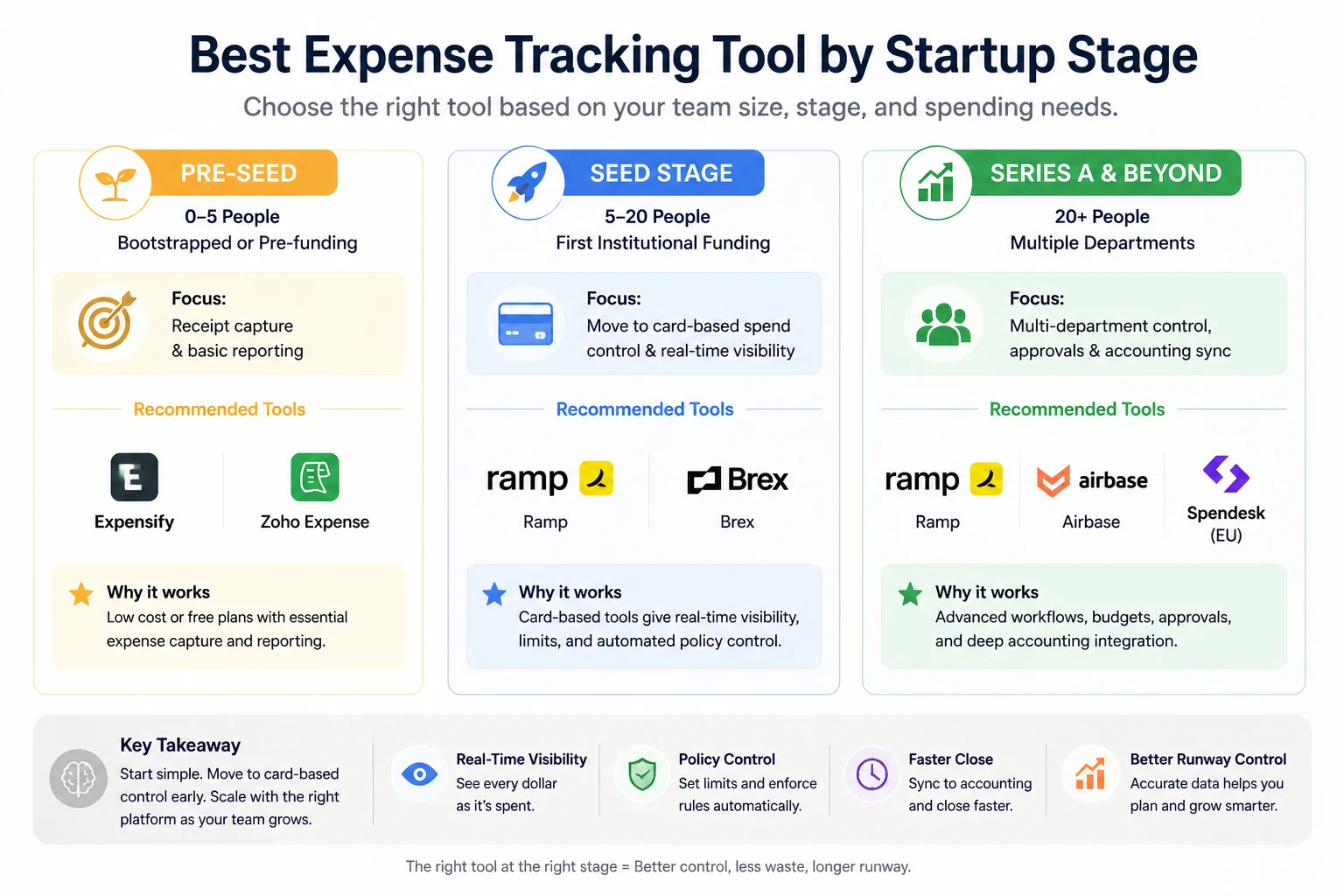
The automated startup expense cycle: From instant receipt scanning to intelligent categorization and final executive reporting.
The right expense tool depends heavily on where your startup is right now — not just on features.
-
Pre-seed (0–5 people, bootstrapped or pre-funding) → Expensify or Zoho Expense. Both have functional free or near-free tiers. Focus is on receipt capture and basic reporting, not advanced controls.
-
Seed stage (5–20 people, first institutional funding) → Ramp or Brex. This is the moment to move from reimbursement to card-based spend control. Real-time visibility becomes essential as team spend scales.
-
Series A and beyond (20+ people, multiple departments) → Ramp, Airbase, or Spendesk (EU). Multi-department budgets, configurable approval workflows, and deep accounting integration become necessary. Airbase is the strongest choice when accounts payable automation is also needed.
According to a16z's insights on startup finance and scaling operations, startups that implement real-time spend controls before their first major hiring wave avoid the most common early-stage finance breakdown: discovering budget overruns only at month end, when the damage is already done.
How AI Expense Tracking Actually Works
Understanding the workflow end-to-end helps you configure any tool for maximum value — not just turn it on and hope for results.
-
Card issued with pre-set limits — Each employee or team receives a corporate card with spend limits configured by category, merchant type, or amount. The limit enforces policy automatically.
-
Spend captured instantly — The moment a card is swiped, a transaction is logged. The employee receives a prompt (via SMS, email, or Slack) to attach a receipt. No paper. No delay.
-
AI categorizes the transaction — Machine learning classifies the expense by type (software, travel, meals, equipment) based on merchant data and historical patterns. Manual correction trains the system over time.
-
Policy checks run automatically — Rules fire against each transaction: does it exceed the per-meal limit? Was the correct project code selected? Is this a restricted vendor? Violations are flagged immediately — not at approval time.
-
Reports generated and synced — Transaction data flows to your accounting system continuously. Month-end reconciliation becomes a review, not a rebuild. Your books close faster, and the data is accurate.
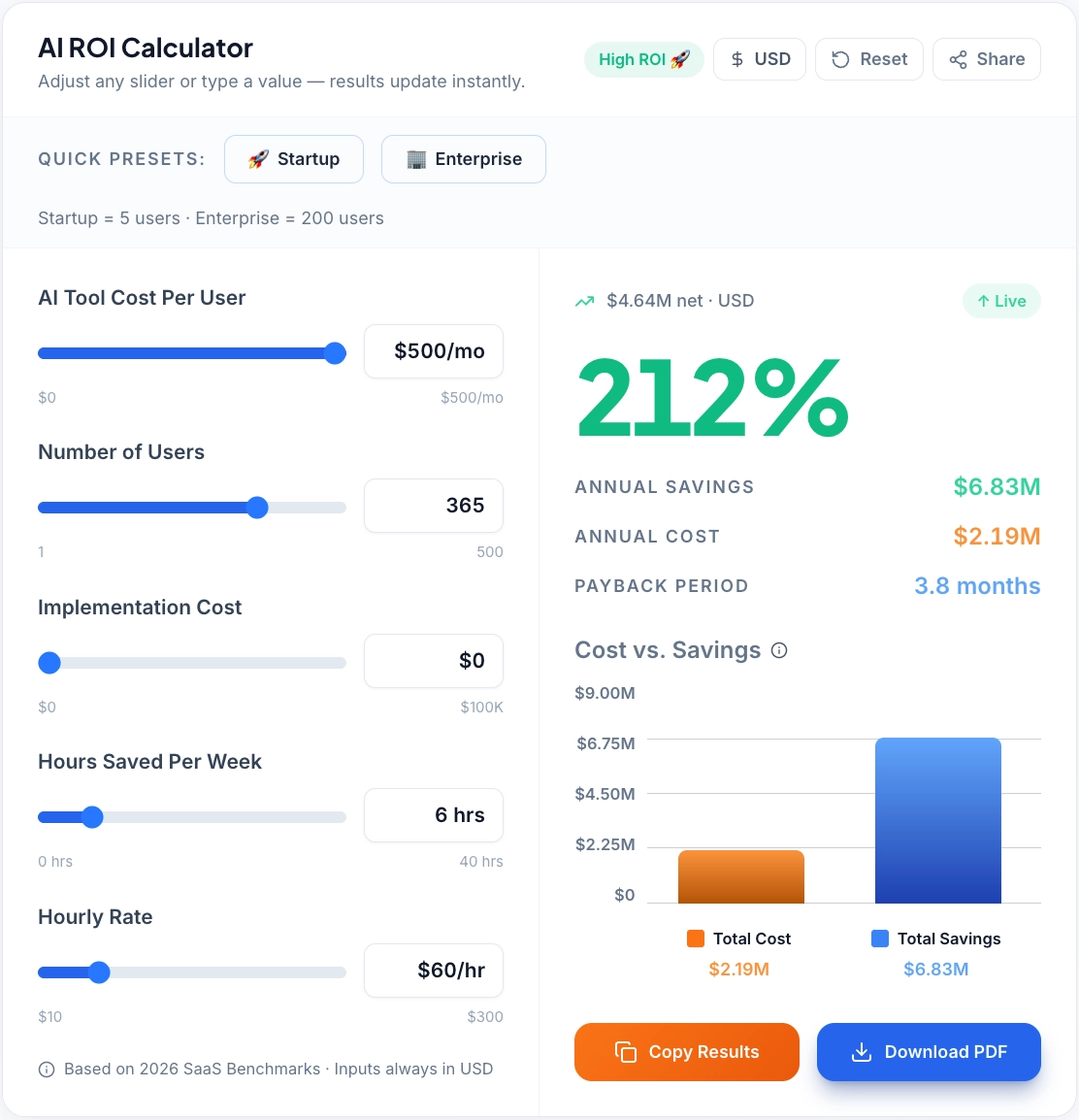
→ To understand how much time and cost your team actually saves with automated expense tracking, try our AI ROI Calculator.
The step most startups underuse is step four — policy enforcement. Configuring spend rules takes two hours upfront and eliminates weeks of approval back-and-forth over months of operation.
Modern AI-driven dashboards provide startups with granular control over team spending and real-time budget tracking.
Common Mistakes to Avoid
Most startups that fail to get value from expense tools make the same four errors.
Staying on reimbursement workflows too long. Once team spend exceeds $15,000–20,000 per month, reimbursement-based tools lose visibility. Employees are fronting personal cash, finance is reconciling weeks later, and policy violations are being caught after money has already left the company.
Issuing cards without spend limits. A corporate card without a pre-set limit is not a control — it's a liability. Every card should have category-level spend rules and per-transaction limits from day one.
Not syncing with accounting. Expense data that doesn't flow automatically to QuickBooks or Xero creates duplicate work and data gaps. Configure the accounting integration before you issue the first card.
Skipping approval workflows. Many early-stage teams skip approvals to move fast. The result is a spend environment with no oversight — and a painful audit process when it comes time to raise a next round or close the books.
→ Most of these mistakes happen due to poor setup, not the tool itself. Before deploying your expense tracking system, use our AI Implementation Checklist to ensure your workflows, approvals, and integrations are correctly configured from day one.
How to Choose the Right Tool
Five variables determine the right choice for your startup:
- Startup stage. Pre-seed teams can start free. Seed-stage teams should move to card-based tools. Series A+ teams need AP automation and multi-department budget controls.
- Budget. Ramp and Divvy are free for core features. Brex and Expensify are affordable. Airbase and Navan require budget commitment.
- Team size. Under 10 people: Ramp, Zoho Expense, or Expensify. 10–50 people: Brex or Airbase. 50+ people: Airbase or enterprise Brex.
- Geography. US-first startups: Ramp. Global or EU-heavy teams: Brex or Spendesk. EU small teams: Pleo.
- Integration needs. Check compatibility with your accounting tool first. Ramp and Brex both integrate cleanly with QuickBooks and Xero. Airbase adds NetSuite and Sage Intacct.
According to Forbes research on AI adoption in small businesses, companies that implement real-time spend management tools are significantly more likely to identify budget risks early, reduce unnecessary subscriptions, and extend runway — without cutting headcount.